4k Icon Fonts for Visual Composer 2.10
Wordpress Plugins Codecanyon 4.8 (3.9K reviews)
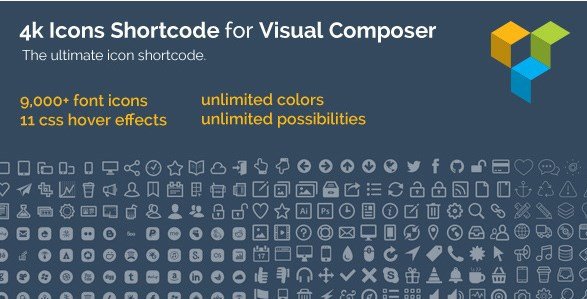
This is a WordPress plugin that extends Visual Composer with a large icon library. Once installed, it adds a new element or set of options to the page builder, giving you access to more than 9,000 font icons. Those icons are vector-based, so they stay crisp at any size and load quickly compared to image files. The interface is deliberately simple: you pick an icon, adjust a few settings, and place it into your layout. Because it sits inside Visual Composer, you can position icons alongside text, buttons, and other content without touching code. If you have spent any time building pages with Visual Composer, this feels familiar from the start. The plugin is designed to be a straightforward addon, not a separate tool, so the learning curve is very low. You do not need to manage external icon fonts or manually embed CSS classes. Everything happens through the existing editor screen.
The icon controls go beyond simple selection. You can apply 11 pure CSS hover effects, which means the icons respond when someone moves their cursor over them. These effects are lightweight and do not rely on JavaScript. You also get three different background shapes to place behind each icon. Four background types give you even more flexibility in how that shape appears. Unlimited colors let you match your brand palette or any custom color you need. All of these options sit in the same editor panel, so you can preview changes instantly. Since the hover effects are pure CSS, they run smoothly on modern browsers without slowing down the rest of the page. The result is a set of icons that can look quiet or playful depending on the effect you choose. This level of styling control is especially useful when you want icons to feel like part of the design rather than simple add-ons.
More from this category

 IconicWP


Another useful part is how icons fit into content. Each icon can be aligned relative to surrounding content, so you can place it inline, to the left of text, or as a standalone design element. Icons can also be turned into links, which makes them act as clickable buttons or social media links. The plugin includes full detailed fields for every icon, meaning you have clear control over size, spacing, and appearance without needing to know CSS. For example, you can set the icon size, choose the color, and decide the shape background all in one place. The user interface keeps these choices organized and readable, so it does not feel overwhelming despite the large icon count. The fields are labeled clearly, so nothing feels hidden. Search or browse through categories to find what you need quickly. This makes the plugin practical for people who want control but do not want to write custom code.
In day-to-day use, this plugin works well for adding visual accents to feature lists, service sections, contact details, or navigation elements. You can drop an icon anywhere a text element or custom HTML block fits. Because the icons are font files, they add little weight to the page, and the hover effects are simple CSS transitions. That combination makes the addon suitable for performance-conscious sites. It also stays entirely inside Visual Composer, so you keep your normal workflow. If you already rely on Visual Composer for layouts, this plugin simply expands what you can place on the page. There is no need to switch editors or learn a separate dashboard. The icon library covers a wide range of categories, which makes it easy to find something appropriate for business, e-commerce, social media, and general web design. Ultimately, this is a practical tool for anyone using Visual Composer who wants a larger set of icons with flexible styling and easy content integration.
- Item type
- plugin
- Category
- Wordpress Plugins
- Version
- 1.21.1
- Availability
- In stock
- Delivery
- Digital
- Last updated
- August 2, 2026
Listed under Wordpress Plugins, 4k Icon Fonts for Visual Composer is a plugin. This presentation keeps the product name and recorded facts intact while organizing the details for easier review.
Usage rights depend on the license selected at checkout. Review the complete terms before using this item for client work, redistribution, SaaS, or more than one end product.