Admin Columns Pro BuddyPress Addon 1.7
Wordpress Plugins Admin Columns 4.8 (4.0K reviews)
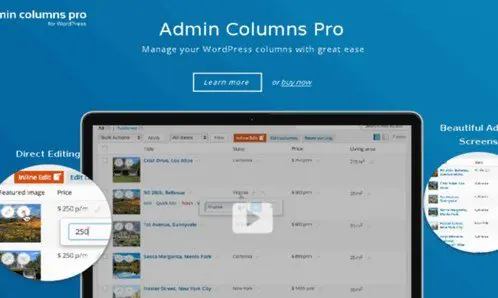
The Admin Columns Pro BuddyPress Addon is an extension for Admin Columns Pro that brings BuddyPress profile data directly into the WordPress user overview screen. BuddyPress stores extended profile fields separately from the standard WordPress user columns, so site administrators often have to click into each profile just to see a simple detail. This addon closes that gap. It reads the profile fields you have already set up in BuddyPress and makes them available as new columns in the admin user list. You can add these columns alongside the default username, email, and role columns. The setup happens through the familiar Admin Columns Pro interface, meaning you pick which fields to display and how to order them. Your user table now shows all the community data in one place, from location and bio to custom registration questions. The overview becomes a practical management tool instead of a list of names with hidden details.
The addon supports all BuddyPress profile fields, including the custom ones you create in the BuddyPress settings. Each field type is respected during display, whether it is a text box, dropdown, checkbox, date picker, number input, or even a multi-select field. Beyond just showing this information, the columns are interactive. You can sort the entire user list by any BuddyPress column, which makes it easy to find, for example, everyone in a particular city or everyone who joined during a certain month. You can also apply filtering to narrow down the list based on profile field values. This combines well with Admin Columns Pro’s other filtering capabilities. In addition, the addon allows inline editing. Instead of opening a user’s profile to change a field, you can edit the value directly in the column cell on the overview screen. Changed data is saved back to the BuddyPress profile field, keeping everything synchronized.
This integration relies on Admin Columns Pro as the foundation. If you already use Admin Columns Pro to manage your WordPress admin lists, this addon simply adds a BuddyPress section to the column settings. You do not need to learn a separate interface or build custom code. The addon works with the same column management tools you already know, such as saving column sets, reordering, and setting default layouts for different user roles. The flexibility is useful for administrators who need different user views for different tasks. For instance, you might create one set of columns for the support team and another for the community manager. Each saved set can show different BuddyPress fields, filters, and sort orders. The addon does not replace Admin Columns Pro; it extends it in a way that feels natural. For any WordPress site running BuddyPress, this setup reduces the friction of managing a large number of members.
The Admin Columns Pro BuddyPress Addon is aimed at WordPress site owners who run an active community and need better control over user data. One of the biggest frustrations in managing BuddyPress is that profile information lives outside the main user table. This addon solves that by putting those fields right where you already manage users. No extra screens are required, and no technical knowledge is needed beyond configuring columns. Regular tasks like updating a member’s status, checking a field value, or sorting members by activity become direct actions. While the addon is specific to BuddyPress, it works with any BuddyPress profile field created through the standard BuddyPress field editor. If you value a cleaner admin experience and prefer to spend less time clicking through profiles, this addon gives you that capability. It is a focused tool that does one thing well: integrating BuddyPress profile fields with the WordPress user overview.

 PaidMembershipPro

- Last updated
- August 9, 2026
- Delivery
- Digital
- Availability
- In stock
- Version
- 2.0
- Category
- Wordpress Plugins
- Item type
- plugin
Admin Columns Pro BuddyPress Addon belongs to the Wordpress Plugins section and is treated as a plugin. Its preview, description, and listing facts can be checked without adding claims not found in the source.
Usage rights depend on the license selected at checkout. Review the complete terms before using this item for client work, redistribution, SaaS, or more than one end product.