Admin Columns Pro Pods Addon 1.7
Wordpress Plugins Admin Columns 4.8 (4.1K reviews)
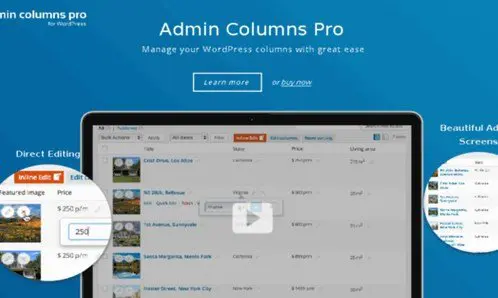
Admin Columns Pro Pods Addon is a supplementary plugin for anyone who uses Admin Columns Pro alongside the Pods framework. Pods gives WordPress users the freedom to create custom post types, custom taxonomies, and custom fields without touching code. The trouble is that these custom elements do not always appear in the admin columns that list your content. This addon connects Admin Columns Pro with Pods, allowing every post type and taxonomy you build with Pods to be handled through the same column interface you already use. Instead of being stuck with the default title, date, author, and category columns, you can compose individual column layouts for each Pods-created content type, all from one central admin screen. This means that if you already know how to manage regular posts with Admin Columns Pro, you can manage any Pods content in exactly the same manner, with no extra learning curve.
The addon does not replace either plugin; it works as a bridge between them. Once activated, it recognizes all Pods content types and taxonomies and makes them available to Admin Columns Pro. You can then select custom fields as columns, decide their order, set the width, and apply any of the standard column behaviors like sorting, filtering, or inline editing. These controls work with Pods fields just as naturally as they do with built-in WordPress fields, so you aren't learning a second set of rules. This makes it possible to transform a plain post list into a working overview of your project data. For example, a real estate site could see price, location, and status directly in the listings table, while a restaurant site might show cuisine and delivery area. All of this is configured without leaving the Admin Columns Pro settings pages, so the workflow stays consistent with what you already know.
Support for all post types and all taxonomies is built directly into the addon, so you never need a separate integration for each custom structure. That includes Pods-generated ones as well as existing WordPress categories, tags, and custom taxonomies. The result is a more coherent admin area where every content type behaves the same way. With custom fields displayed as columns, you can scan many entries at once and identify records that need attention. Combined with sorting and filtering options, this reduces the time spent digging through individual items. It also means you don't have to remember where a particular value is stored, because the information is right there in the list. You can quickly spot missing entries, compare similar records, and keep an eye on updated content without ever opening a single post. This kind of visibility is particularly helpful when your site contains hundreds of custom entries and you need to locate a specific one.
Similar products

 WooCommerce.com


Installation is straightforward: you receive a single .zip file that you upload and activate exactly like any other WordPress plugin. This is the same file that comes from the original author, with no changes, so you can verify it or use it on multiple sites if you already have a license for Admin Columns Pro. Once activated, the addon runs in the background and simply adds Pods support to your existing column setup. The process takes only a couple of minutes, and the addon remains inactive until you choose to make use of it. No extra coding, no external tools, and no configuration outside the usual Admin Columns Pro menus are needed. For anyone managing a WordPress site with Pods custom content, this addon brings those fields into the main list view and makes the admin area far more practical. You spend less time hunting for data and more time actually working with the content you have built.
- Item type
- plugin
- Category
- Wordpress Plugins
- Version
- 8.5.11
- Availability
- In stock
- Delivery
- Digital
- Last updated
- August 10, 2026
Listed under Wordpress Plugins, Admin Columns Pro Pods Addon is a plugin. This presentation keeps the product name and recorded facts intact while organizing the details for easier review.
Usage rights depend on the license selected at checkout. Review the complete terms before using this item for client work, redistribution, SaaS, or more than one end product.