Admin Columns Pro Toolset Types Addon 1.8
Wordpress Plugins Admin Columns 4.8 (1.4K reviews)
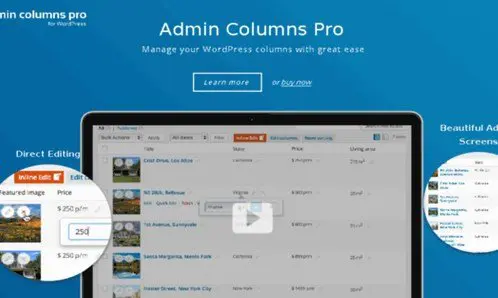
Admin Columns Pro is a popular plugin that gives you full control over the columns in your WordPress admin list screens. The Toolset Types Addon extends that control to the custom fields created with Toolset Types. Instead of editing posts, pages, or custom post types one by one, you gain a clear overview of all your content in a single view. The addon connects the two systems so that the field data you have carefully structured becomes visible at a glance. If you maintain a site that relies heavily on custom post types and repeatable field groups, this is especially useful. You save yourself the constant switching between screens and the tedious process of opening each item to check its details. All of this happens inside the standard WordPress admin interface, so there is no separate screen to learn. The goal is to make the information you need available right where you are already working.
The main feature is straightforward: it turns your Toolset Types fields into actual columns inside the admin list table. You choose which fields appear, and they are displayed alongside the standard columns such as title, date, and author. Because the columns are editable, you can change the value of a field directly from the list screen without opening the individual post. This cuts down the time spent on routine updates and content management. Sorting and filtering options also apply to these custom columns, so you can order your content by any Toolset field you have made visible. Such a setup makes it easy to locate specific entries based on data that would normally be hidden inside the editor. Instead of jumping from one edit screen to the next, you can keep your focus on the full collection of items in front of you. The column layout is fully within your control, so you only see the fields that actually matter to your workflow.
Related products

 LearnDash


Beyond simple display, the addon makes the admin experience much more efficient for ongoing site maintenance. When a field needs a quick correction, you can type the new value straight into the column and move on to the next item. Sorting works the same way: clicking a column header orders the entire list by that field, whether it is a number, date, or text value. Filtering helps you narrow the list to content that matches certain criteria, so you are not scrolling through hundreds of rows to find what matters. This creates a workflow that feels closer to working with a spreadsheet than a standard WordPress backend. Individual list screens can be configured independently, so you can set up different column layouts for different post types. Saved column setup is applied each time you visit that list, giving you a consistent working view. For site administrators who manage large amounts of structured content, the difference is noticeable from the first time you use it.
This addon is not a standalone plugin; it requires Admin Columns Pro to function. Once both are installed, the Toolset Types fields you have already created become available as column options in the admin screens where Admin Columns Pro is active. This also means the addon works with the custom post types and field groups you have already created, without forcing you to change your existing setup. There is no need to rebuild or migrate any existing data, because the addon simply presents information that is already stored in your site. It works alongside the field definitions you already have in place, preserving the structure you have built. For anyone whose workflow depends on Toolset Types and wants to speed up content administration, this extension fills a specific and practical gap. It does what it is designed to do without adding unnecessary complexity to your setup. The focus stays on making your existing workflows faster, not on adding more things to learn.
- Last updated
- August 11, 2026
- Delivery
- Digital
- Availability
- In stock
- Version
- 1.3.6
- Category
- Wordpress Plugins
- Item type
- plugin
Admin Columns Pro Toolset Types Addon appears in the Wordpress Plugins catalog and is classified as a plugin. The page focuses on information available in the listing rather than unsupported performance or compatibility claims.
Usage rights depend on the license selected at checkout. Review the complete terms before using this item for client work, redistribution, SaaS, or more than one end product.