Admin Columns Pro WooCommerce Addon 3.7.3
Wordpress Plugins Admin Columns 4.8 (1.3K reviews)
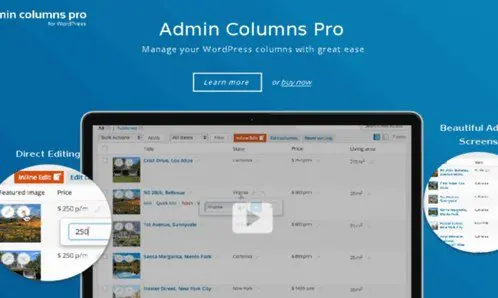
Admin Columns Pro WooCommerce Addon extends Admin Columns Pro into the product and order screens of a WooCommerce store. Normally, those screens come with a standard set of columns, which can leave you clicking into individual items to find basic details. This addon gives you control over which columns appear, letting you build a list that shows the information you care about right away. It works with both products and orders, and it fits into the same interface you already use for managing your site. It is not a standalone plugin, so the core Admin Columns Pro plugin must be installed first. Once active, it opens up the column settings for WooCommerce tables, allowing you to design a more efficient view of your catalog and customer orders. You can add, remove, and reorder columns without touching any code, and the choices you make are saved for the next time you visit that screen.
Other products to consider

 Codecanyon


Product columns become fully customizable, so you can add fields such as SKU, stock status, price, categories, and custom meta. You can arrange them in a way that matches your workflow, hiding the ones you rarely use and bringing important data to the front. That makes the list far more useful for daily work. Inline editing is a major convenience. Instead of opening each product to update a price or stock count, you edit those values directly in the column listing. Changes are saved instantly, which makes bulk updates much faster than going through individual edit screens. Sorting also becomes more flexible. Any column that supports sorting can be used to reorder the list, helping you spot top sellers, low stock items, or products that require attention. These features work in the standard product list and in filtered views, so a specific group of products can be managed without losing your column setup.
Order management receives the same level of attention. The addon introduces dedicated columns for order details, including customer names, payment methods, order status, totals, and dates. You can sort orders by these columns to quickly locate pending payments or recent purchases. Combining this with filters narrows the list even further. Inline editing works for orders as well, letting you update a status or add a brief note without opening the full order page. Customizing the product page is another key part of the addon, meaning you can build different column sets for different situations. For example, a stock-focused view for your inventory team or a sales-focused view for reviewing revenue. Default columns that you do not need can be hidden entirely, freeing up space for the data that counts. This reduces the number of clicks and page loads during everyday order management, since the information you need is already visible in the list.
Because this addon works inside the standard WordPress admin, you do not have to leave your familiar environment or export anything to another tool. Everything happens in the existing product and order lists, right where you already manage the store. For anyone who has used Admin Columns Pro before, the setup feels familiar because the same column management interface applies here. There is no separate dashboard and no additional workflow to learn. This keeps the process simple and quick. Store owners who find the default WooCommerce tables restrictive will appreciate having a more direct way to view and interact with their catalog and orders. The addon does not change any data on your site; it only changes how that data is presented in the admin lists. That makes it a safe addition to a working store, and it can be especially helpful when you deal with many products or orders throughout the day.
- Item type
- plugin
- Category
- Wordpress Plugins
- Version
- 1.0.1
- Availability
- In stock
- Delivery
- Digital
- Last updated
- August 12, 2026
This page summarizes the available listing data for Admin Columns Pro WooCommerce Addon in Wordpress Plugins. The item type is recorded as plugin, with further details shown below.
Usage rights depend on the license selected at checkout. Review the complete terms before using this item for client work, redistribution, SaaS, or more than one end product.