Admin Menu Editor Pro WordPress Toolbar Editor Addon 1.2.2
Wordpress Plugins Admin Menu Editor 4.8 (2.6K reviews)
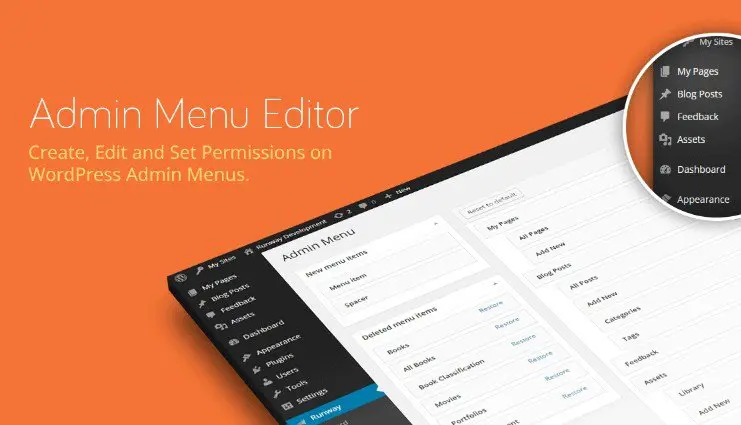
Anyone who manages a WordPress site will recognize the toolbar as the bar along the top that stays visible after logging in. WordPress documentation calls it the Toolbar, and it shows up on both the admin side and the public side of a site. On a typical installation it includes shortcuts for the site name, the comments screen, a 'New' button, and a small profile submenu. This addon for Admin Menu Editor Pro brings that toolbar into the same visual editor that you might already use for the left-hand admin menu. Every item in the toolbar can then be reviewed, reordered, relabeled, or removed from a single screen. The addon does not work as a standalone plugin; it requires Admin Menu Editor Pro to be present and activated. Once installed, it adds a toolbar editing mode to the existing menu editor, so there is no separate dashboard page and no duplication of settings.
With the addon active, the four main operations you can perform on existing toolbar items are hide, move, rename, and edit. Hiding an item removes it from view without changing the underlying WordPress configuration, which is useful when a link has no relevance to your users. Moving changes the order of items along the bar, so the most-used shortcuts can sit right next to each other. Renaming replaces the default labels with custom text that matches your own vocabulary or the language of your clients. Editing goes further, letting you change the destination URL and other properties attached to the item. On top of that, you can create entirely new items. A new item can point to any internal post, page, or admin screen, or to an external website, and you decide where it sits in the toolbar. Each new item gets the same editing options as existing ones, which keeps the bar consistent.
Similar products

 AMPforWP

The practical result is a cleaner interface for anyone who logs into your site. Since the toolbar appears on every admin page and also on the front end for logged-in visitors, it becomes one of the most persistent parts of the WordPress experience. Removing items nobody uses reduces clutter. Clarity improves when you rename obscure default labels. Adding custom shortcuts gets you to common tasks in fewer clicks. For client projects, you can set up the toolbar ahead of time so the client only sees the links that matter to them, each with a name they actually understand. The addon handles all of this through the menu editor, so there is no template code to write and no CSS overrides to maintain. When several people manage the same site, that consistency matters; the toolbar does not drift between sessions. Your saved layout stays the same every time you return to the editor, and it remains in place until you deliberately change it.
The addon is delivered as a .zip file that you upload through the WordPress Plugins screen, the same way you install any plugin. Once active, its controls appear inside the Admin Menu Editor Pro interface, where you can switch between the main menu and the toolbar. The toolbar items are listed in the same order they appear on screen, so the layout is recognizable at a glance. A simple toggle controls visibility, renaming uses a text field, and reordering uses the editor's move controls. New items are created with a form where you specify the label and URL, then assign its position in the toolbar. Because the addon works inside an editor you already have, there is no separate settings page and no new workflow to memorize. It is simply a second mode added to the same tool, so the process stays quick. The parent plugin, Admin Menu Editor Pro, is not included and must be active for the addon to work.
- Last updated
- August 3, 2026
- Delivery
- Digital
- Availability
- In stock
- Version
- 1.1.9
- Category
- Wordpress Plugins
- Item type
- plugin
Admin Menu Editor Pro WordPress Toolbar Editor Addon is cataloged as a Wordpress Plugins under plugin. Review the preview and recorded details alongside the original description before purchase.
Usage rights depend on the license selected at checkout. Review the complete terms before using this item for client work, redistribution, SaaS, or more than one end product.