Advanced iFrame Pro 2025.2
Wordpress Plugins Codecanyon 4.8 (2.6K reviews)
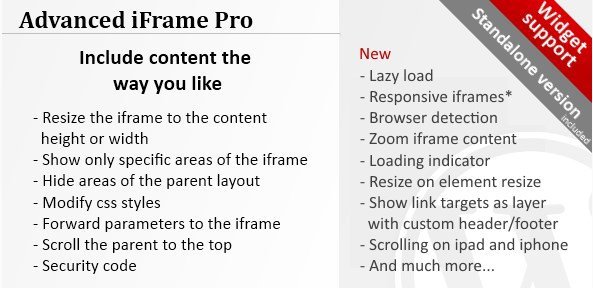
Advanced iFrame Pro is a WordPress plugin that gives site owners fine-grained control over external content displayed inside an iframe. Instead of embedding an entire page, you can show just a portion of a site, such as a specific map region, a product table, or a live feed. The plugin is distributed through Codecanyon and installs normally like any other WordPress extension. Once activated, it adds a block for the block editor as well as a shortcode for classic editing. You set the source URL, choose the visible area of the external page, and give the iframe a fixed size or let it adapt to its container. A custom starting point can also be defined within the source page, so visitors land exactly where you want them to. Both methods are available, and you can choose based on how you build pages. This makes it a flexible tool for pulling in remote content without duplicating it on your own server.
Performance is a central concern when embedding third-party content, and this plugin handles it well. The lazy load option delays fetching the iframe until it approaches the visitor's viewport, which keeps initial page loads fast and reduces unnecessary bandwidth use. You can enable lazy loading per iframe, so pages with multiple embeds only load what is actually seen. Responsive iframe support means embeds scale smoothly across phones, tablets, and desktop monitors without awkward horizontal scrolling. The plugin also includes browser detection, so you can adjust how content is delivered depending on which browser someone is using. This is especially helpful when a source page behaves differently in Chrome, Firefox, Safari, or Edge. You can combine these options for a single iframe, giving you both speed and flexibility at once. All of these settings are controlled from the plugin's interface, so you do not need to write custom code or modify theme templates to make embeds behave well.
Advanced iFrame Pro also gives you finer control over the iframe's visual presentation. The zoom feature lets you enlarge or shrink the embedded content, which can be useful when a source page is designed for a larger viewport but you want to fit it into a smaller space without cropping important elements. A loading indicator appears while the iframe fetches its content, so visitors are not staring at a blank area. The resize on element resize option means the iframe height adjusts automatically when the surrounding element changes size, such as when a user resizes the browser window or opens a sidebar. Another option shows link targets as a layer, letting you overlay a custom header and footer on top of the iframe content while keeping the embedded page interactive underneath. This particular feature is especially handy for adding your own navigation, branding, or legal text around external material on the page.
More from this category

 Soliloquy


What makes Advanced iFrame Pro useful is that it bundles these capabilities into a single plugin, rather than forcing you to piece together multiple solutions. You can manage everything from the WordPress admin panel, and the shortcode or block lets you drop an iframe into any post, page, or widget area. Because the plugin handles resizing, lazy loading, and browser differences, your embeds stay consistent no matter where they are placed. It also works with standard WordPress workflows, so you can reuse the same settings across different iframes or adjust them on a per-instance basis. Site owners who regularly display external maps, charts, documents, or media will find that this plugin covers the small but important details that normally require extra code. It does not require a page builder, and it does not lock your content into a proprietary system. You are left with ordinary iframes that are easier to control and more reliable for visitors.
- Last updated
- August 9, 2026
- Delivery
- Digital
- Availability
- In stock
- Version
- 2.2.0
- Category
- Wordpress Plugins
- Item type
- plugin
Advanced iFrame Pro is one of the Wordpress Plugins items recorded as a plugin. The content below uses the supplied listing information and current local catalog data.
Usage rights depend on the license selected at checkout. Review the complete terms before using this item for client work, redistribution, SaaS, or more than one end product.