Auto Popups add-on for OptIn Ninja 1.16
Wordpress Plugins Codecanyon 4.8 (2.9K reviews)
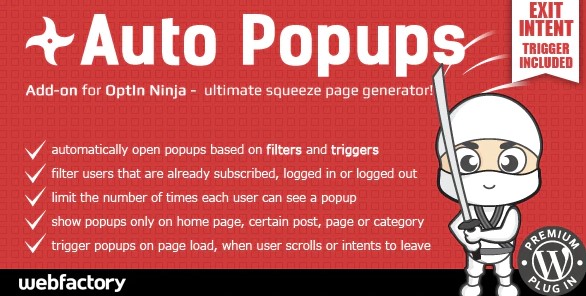
Auto Popups is an add-on that gives OptIn Ninja a much finer level of control over when a popup appears on screen. It introduces twelve separate filters and triggers, each tied to a specific visitor action or timing cue. A popup can fire the moment a page loads, wait a few seconds while the visitor settles in, or wait for a scrolling milestone. Audience narrowing sits at the core: only visitors who satisfy the conditions you define ever see the popup. Casual browsers are interrupted less often, while people who fit your targeting criteria receive the message at a meaningful moment. This does not replace an existing OptIn Ninja setup. Instead, it layers on top of the builder, making the decision about popup visibility automatic once conditions are configured. That automatic behavior is the defining feature, turning a one-size-fits-all prompt into something that respects context. The result is a popup that arrives at the right moment for the right person.
The scroll trigger stands out as a genuinely useful behavior. You can reward a visitor who reaches a specific section of a long page by revealing a popup at that exact moment. For long-form content, this means an offer or newsletter signup appears after someone has demonstrated clear interest. The exit intent trigger handles the opposite situation, catching attention when a user is about to close the tab or leave the page. Both approaches rely on real visitor behavior rather than random timing, which makes the popup feel contextual rather than intrusive. Different pages can use different triggers, so each campaign behaves exactly the way you want. You might show one popup to first-time visitors and another to returning users, or restrict a promotion to people who scroll past a certain section. With twelve filters and triggers available, the combinations give you room to experiment without hard-coding conditions into your theme.
OptIn Pages and A/B tests can also appear through the popup system, which keeps the whole experience consistent. Everything runs on OptIn Ninja's existing infrastructure, so there is no separate dashboard to learn and no second account to manage. Filters and triggers are configured inside the workflow you already know, and the add-on handles the rest. The technical side benefits from conditional loading. All JavaScript is loaded only when it is actually needed, so a visitor who never triggers a given popup does not download the related scripts. Pages stay lighter, and performance overhead is kept to a minimum. The popup code simply stays dormant for those who do not qualify, and the page loads without the extra weight. For visitors who do qualify, the script loads at the moment of the trigger and the popup behaves as intended, keeping the site fast for people who never meet a trigger's requirements.
The product arrives as a .zip file containing the same files you would receive from the original author. Nothing is altered or repackaged. Installation follows the standard WordPress add-on process: upload the archive, activate it, and the add-on appears alongside OptIn Ninja. Keep in mind that Auto Popups is not a standalone popup builder. It requires OptIn Ninja to function. The value sits entirely in the control layer it adds, letting you decide who sees a popup, when they see it, and under what conditions. Managing attention this way changes how popups feel to readers. A well-timed popup that matches user intent is far less likely to annoy, and the scroll and exit triggers are designed specifically around that principle. For anyone already relying on OptIn Ninja who wants smarter, more selective popup display, this add-on delivers exactly that without additional complexity beyond what it is meant to solve.

 Codecanyon
- Item type
- plugin
- Category
- Wordpress Plugins
- Version
- 2.5.6
- Availability
- In stock
- Delivery
- Digital
- Last updated
- August 12, 2026
Auto Popups add-on for OptIn Ninja is listed in Wordpress Plugins as a plugin. The supplied description, preview, version, price, and recorded product details are collected here for review.
Usage rights depend on the license selected at checkout. Review the complete terms before using this item for client work, redistribution, SaaS, or more than one end product.