Barber 1997 - Barbershop Elementor Template Kits Latest Version
Elementor Kits Themeforest 4.8 (377 reviews)
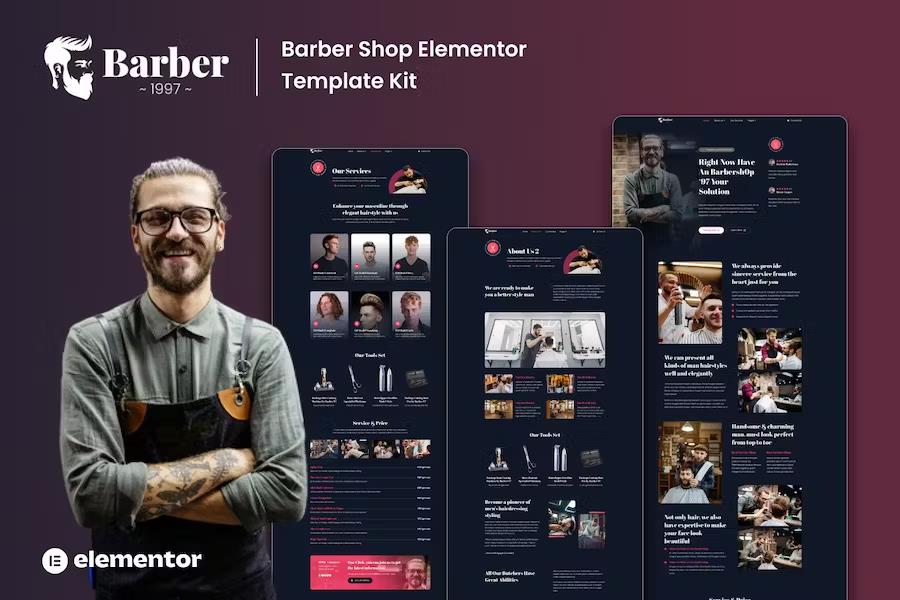
Barber 1997 is a pre-designed WordPress template collection built specifically for barbershops, hair salons, and independent grooming professionals who need a professional online presence. This kit relies on the Elementor page builder ecosystem to provide a fully editable visual framework that does not require coding knowledge to operate. Business owners can display their craft, service offerings, pricing structures, and company history through structured layouts tailored to the personal care industry. Mobile responsiveness comes built into every single layout block, ensuring that clients browsing from smartphones or tablets experience proper alignment and readability. Visual elements match the traditional yet modern aesthetic common in contemporary grooming spaces, using dark tones, strong typography, and structured content grids. Setting up a new business site or refreshing an existing web address becomes much faster when starting with pre-built pages rather than a blank canvas. Each included layout serves a distinct purpose in communicating essential details to prospective clients looking for haircuts, beard trims, and styling services in their local area.
Related products

 Themeforest

The package contains a specific selection of page designs covering the core informational needs of a modern barbershop website. Users get two distinct variations of an about page to share their founding story, team credentials, and shop atmosphere. A dedicated services layout outlines haircut options, shaving treatments, and grooming packages clearly for visitors. The price list layout presents service costs in a clean tabular format that helps customers review rates before booking an appointment. Contact pages feature integration points for inquiries, physical addresses, and operating hours. A testimonial layout allows shop owners to display client feedback, while a frequently asked questions section addresses common inquiries about walk-in policies, parking, and specific treatments. Blog templates and single post layouts give businesses the tools needed to publish grooming tips, shop news, and styling advice. Every template installs directly into WordPress through the compatible importer plugins, placing the saved pages inside the Elementor library for immediate placement onto active pages.
Technical operation requires several free and paid add-ons to function correctly alongside the core page builder installation. The kit integrates with Elementor Header and Footer Builder, ElementsKit Lite, MetForm Elementor, and Gum Elementor Addon to handle specific widgets and structural sections. Site administrators must install these companion tools before importing the global styles and individual page templates to ensure buttons, forms, and navigation menus display correctly. Global kit styles establish consistent typography, color palettes, and spacing rules across the entire site layout automatically upon initial import. Contact forms included in the design use Metform blocks, which require a brief setup procedure within the editor interface to connect the template form to the page layout. Header and footer configurations can be managed through the supported builder plugins, allowing administrators to select site-wide navigation bars and footer blocks easily. Demo images shown in the promotional previews belong to Envato Elements collections and must be licensed separately or replaced with original photography belonging to the website owner.
Managing the import process follows a straightforward sequence designed to prevent missing elements or broken styling links. Operators start by installing the Envato Elements plugin on a fresh WordPress installation, followed by uploading the kit zip file directly through the plugin dashboard. Checking for the required plugin notification banner ensures all necessary dependencies install before any page templates are imported. Global styles should be processed first to establish the visual foundation before individual pages are loaded into the saved templates section. Creating a new WordPress page, switching the page attributes to Elementor Full Width, and hiding the default title prepares the canvas for template insertion. Opening the page builder interface lets users access the saved templates folder via the gray folder icon to load the specific layout they wish to display. Customizing text, replacing placeholder imagery, and adjusting color accents happens entirely within the visual editor environment before publishing the live page to the public domain for prospective clients to view.
- Last updated
- August 2, 2026
- Delivery
- Digital
- Availability
- In stock
- Version
- Latest Version
- Category
- Elementor Kits
- Item type
- template kit
For shoppers browsing Elementor Kits, Barber 1997 - Barbershop Elementor Template Kits is recorded as a template kit. The page below separates supplied product information from general store and license terms.
Usage rights depend on the license selected at checkout. Review the complete terms before using this item for client work, redistribution, SaaS, or more than one end product.