Calcium - Minimalist Portfolio & Blogging Theme 1.5
Wordpress Themes Themeforest 4.8 (2.4K reviews)
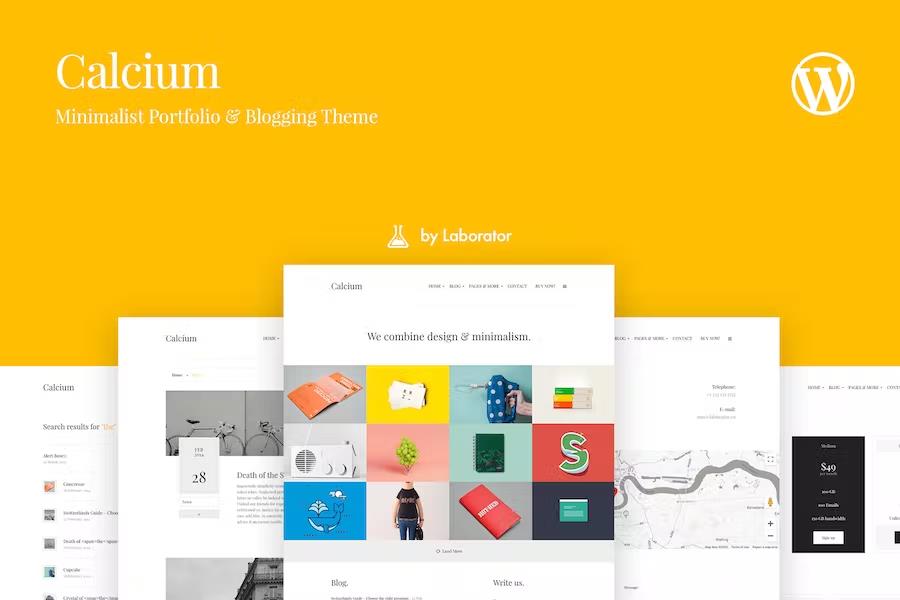
Calcium is a responsive WordPress theme for people who run a blog or portfolio and want a clean, minimal presentation without giving up control. In the customizer you can switch between light and dark skins, choose a built-in font or load a custom one, and write your own CSS when you need finer changes. The homepage layout is built from sections you can reorder, so your latest work or featured post gets the prime spot. Practical extras include a widget manager, a quotes blog widget, a contact form widget, custom HTML blocks, and the ability to attach an icon to a menu link. The theme is retina-ready, works with WPML for translations, and has a backup and restore option for your settings. With all of this handled in one panel, the theme suits people who don't want to manage a long list of plugins. This setup makes it easy to try different combinations before you settle on a look.
Two header layouts come with the theme. Header v1 keeps the logo on the left and menu on the right, while Header v2 centers both elements for a more balanced look. You can upload a custom logo, including a retina-friendly version, or switch to a type-based logo. Sidebars are just as flexible: enable them where you want, place them on the left or right, and choose where the sidebar menu icon appears. The order of your social media icons is fully adjustable, so your most important accounts come first. A Google Analytics tracker field keeps your tracking code in one place, and the backup and restore system stores your settings so you can roll back after an experiment. Retina support extends beyond the logo as well, covering the whole interface. The two skins can be combined with either header, so dark and light versions are available for each layout.
Other products to consider

 Themeforest

For portfolio work, Calcium includes a filtering system that uses isotope-style animation. When you switch categories, the items rearrange with a smooth motion. You can choose between two, three, or four column layouts, ranging from a spacious pair of columns to a dense four-column grid, and set how many items show on a page. Each piece can open its details in a dedicated page or in an interactive overlay, and the position of those details is configurable among left, right, top, or bottom. Browsing can be endless scroll or normal pagination, with an auto-switch interval that rotates through portfolio images on a timer. Post sharing, the like button, and category filtering can each be turned off if you want a quieter presentation. The date format is adjustable too, so you can show a year only or a full date. This set of options covers the typical ways people organize their work, whether they prefer a polished grid or a filtered gallery.
For the blog side, Calcium gives you a standard archive page where you can select which post type is displayed. Breadcrumbs, thumbnails, author info, categories, and tags can each be hidden or shown independently, and you can set the exact thumbnail size. This makes it easy to present your writing without extra clutter. The theme also includes a set of shortcodes for common page elements: grids, buttons, tabs, accordions, alert boxes, breadcrumbs, and pricing tables. You can place these wherever the content editor allows. A grid shortcode helps you arrange multiple columns inside a post, and pricing tables can be inserted without building custom layouts. These elements are styled to match the theme's minimal design, so they don't feel bolted on. There is also a separate breadcrumbs shortcode if you prefer to control them manually. Calcium comes from Laborator.co, the same studio behind the popular Kalium creative theme, and it shares that team's attention to layout and detail.
- Last updated
- August 12, 2026
- Delivery
- Digital
- Availability
- In stock
- Version
- 1.4.3
- Category
- Wordpress Themes
- Item type
- theme
Calcium - Minimalist Portfolio & Blogging Theme is one of the Wordpress Themes items recorded as a theme. The content below uses the supplied listing information and current local catalog data.
Usage rights depend on the license selected at checkout. Review the complete terms before using this item for client work, redistribution, SaaS, or more than one end product.