CodeTabs - WordPress Responsive Swipe Tabs 3.0.3
Wordpress Plugins Codecanyon 4.8 (367 reviews)
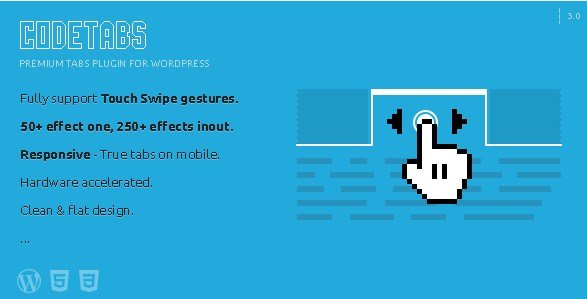
CodeTabs is a WordPress plugin that pairs tabbed content with a swipe-based slider. People often want to switch between panels by tapping a tab and also by dragging their finger across the screen. This plugin does both, and both actions work on desktop and mobile. The whole thing is built around the idea of keeping content accessible without requiring a page reload. Each tab can hold its own content, and instead of just clicking between sections, you can slide horizontally. The swipe gesture is recognized on touchscreens, but mouse users can also drag or click. That dual approach makes it feel natural on a phone, a tablet, or a laptop. The plugin comes as a single install, and it integrates into a standard WordPress post or page. It does not replace your theme's content area; it adds a self-contained tab and slider block that you can place wherever shortcodes or PHP functions are supported.
One of the first decisions you make with CodeTabs is where the tab labels sit. The plugin supports fourteen separate positions around the content area. Tabs can appear above the content, below it, on the left side, or on the right side, with various alignments and combinations. So if you want the tab headings along the top like a classic browser tab, you get that. If you prefer a vertical sidebar with tabs stacked on the left, that also works. The same flexibility applies to vertical tabs on the right, which is less common but handy for layouts where the right edge has free space. The design uses a flat style, meaning there are no heavy gradients, bevels, or shadows. The active tab is clearly highlighted with a solid color, while inactive tabs sit quietly in the background. The main content area stays clean and readable, and the whole component adjusts its shape based on the available width.
The slider part is not a separate plugin. CodeTabs has a slider built into every tab panel. Each panel can contain images, text, or any other content, and you can move through multiple slides inside that panel. The slide transition uses one of over 250 different effects. Some effects fade, some slide, some bounce or rotate, and many are subtle enough to use daily. The effect applies when you move from one slide to the next. Because the plugin knows about swipe gestures, these effects also trigger when you drag your finger. That combination of a swipe-controlled slider and a large effect library is what makes CodeTabs stand out from a simple tab plugin. Every slide still lives inside its tab, so the structure is easy to understand. You organize content by topic in separate tabs, and within a topic you can have multiple images or paragraphs that move horizontally.
More from this category

 WooCommerce.com


The component is fully responsive. On a phone, the tab bar and the slide area reflow to fit a narrow screen, and swipe gestures are exactly what people expect. On a desktop, the same layout expands naturally, and clicking or dragging works just as well. Responsive also means you do not have to set fixed heights for the content area; the plugin handles varying amounts of content without breaking the layout. For a site that displays product features, portfolio pieces, or a series of announcements, CodeTabs keeps everything in one compact module. There is no need to build multiple pages or rely on complicated custom code. You add the plugin, place a shortcode, and then fill the tabs with whatever content you need, using the editor you already know. The result is a straightforward way to present more information in less space, while still letting visitors move around quickly.
- Last updated
- August 10, 2026
- Delivery
- Digital
- Availability
- In stock
- Version
- 2.3.6
- Category
- Wordpress Plugins
- Item type
- plugin
CodeTabs - WordPress Responsive Swipe Tabs appears in the Wordpress Plugins catalog and is classified as a plugin. The page focuses on information available in the listing rather than unsupported performance or compatibility claims.
Usage rights depend on the license selected at checkout. Review the complete terms before using this item for client work, redistribution, SaaS, or more than one end product.