CSS3 Tooltips For WordPress 1.7
Wordpress Plugins Codecanyon 4.8 (3.3K reviews)
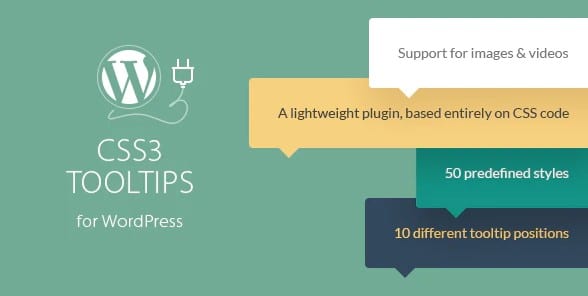
CSS3 Tooltips for WordPress is a Codecanyon plugin that brings clean, lightweight tooltips to any WordPress site. It relies entirely on pure CSS3, so there is no jQuery or heavy JavaScript script to load. The idea is simple: you point at a word, image, or button, and a small bubble of additional information appears. You can create one of these tooltips in minutes using a shortcode generator built into the plugin. The generated shortcode can be placed in a post, a page, a sidebar widget, or any other area that accepts shortcodes. Because the styling comes from CSS3, the tooltips feel smooth and don't slow down your site. The plugin is distributed through Codecanyon, so it follows the same delivery and licensing habits as other commercial WordPress plugins. It is a niche tool with a clear purpose: add helpful context to content without turning your page into a messy pile of markup.
Related products
 Geodirectory


Tooltips can appear in two different ways. The first is the classic hover trigger: a visitor moves a mouse over an element and the tooltip fades or slides into view. The second is a click trigger, which is especially helpful on mobile devices where there is no hover state. This plugin supports both trigger types, and you can choose the one that fits each tooltip. The mobile support means tooltips still work when someone taps the screen on a phone or tablet. This is important because many WordPress themes are responsive, but tiny hover-only widgets often fail on touchscreens. The plugin’s global settings let you control default behavior across every tooltip on the site. Instead of editing each shortcode individually, you can set a master style, position, delay, and animation once. The built-in shortcode generator also helps you avoid typos and formatting mistakes. You simply choose your text, pick a color scheme, and the plugin produces the shortcode for you.
One of the more interesting features is the global links to tooltips conversion. That means you can turn ordinary links or shortcodes into tooltip triggers across your whole site without rewriting every link by hand. The global settings panel gives you a central place to manage tooltip behavior, so later changes do not require hunting through individual posts. Because the plugin is built on pure CSS3, the effect is rendered entirely by the browser. There is no inline JavaScript fighting with your theme’s existing scripts. This makes the plugin a good match for sites that already have a lot of custom code. The plugin also includes the usual Codecanyon essentials: clear documentation, shortcode examples, and the original distribution zip file. When you get the plugin from this listing, you receive the exact .zip file that is available from the original author. Nothing is renamed, decoded, or repackaged. The file can be uploaded directly to your WordPress admin, just like any other plugin.
This plugin is built for site owners who want tooltip text without writing CSS by hand. It works with any WordPress theme that permits shortcodes, and the lightweight code means visitors will not notice extra lag. The two trigger modes give content creators flexibility: hover for desktop users and click for mobile users. Global settings keep the site consistent, and the shortcode generator makes the process approachable for beginners. It is not a library of dozens of effects or a page-builder addon; it is a focused tool for a specific job. If you have ever struggled to align a CSS tooltip manually, this plugin removes that struggle. Tooltips are useful for glossaries, product descriptions, image captions, and any time you want to show a small definition without sending the reader to another page. The result is a cleaner reading experience, because readers can stay on the main content while still getting extra context.
- Last updated
- August 9, 2026
- Delivery
- Digital
- Availability
- In stock
- Version
- 1.0.8
- Category
- Wordpress Plugins
- Item type
- plugin
The catalog entry for CSS3 Tooltips For WordPress is grouped with Wordpress Plugins and classified as a plugin. Available product information is shown below with related items from the local catalog.
Usage rights depend on the license selected at checkout. Review the complete terms before using this item for client work, redistribution, SaaS, or more than one end product.