Custom Sidebar Manager 1.1
Wordpress Plugins Codecanyon 4.8 (1.8K reviews)
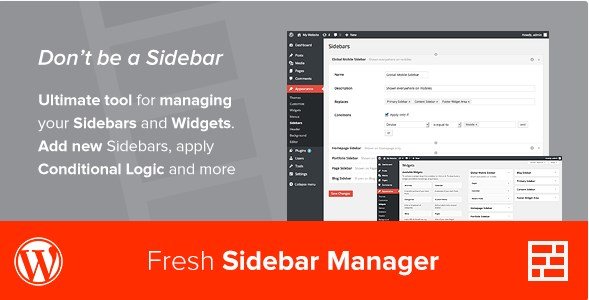
Custom Sidebar Manager is a WordPress plugin that lets website owners create and manage multiple custom sidebars. Instead of applying one default widget area across the entire site, you can build sidebars tailored to individual pages or any other part of your WordPress installation. Each custom sidebar can be given its own set of rules and conditions, which gives you precise control over where it appears and where it is suppressed. The plugin is especially useful for websites that need different layouts for different sections, such as a blog with a distinct sidebar for news articles and another for product pages. Its compatibility with WPML also means that multilingual sites can assign different sidebars for different languages without conflict. It works directly from the WordPress admin area and does not require any coding knowledge. This is a straightforward tool for anyone who wants to move beyond the standard one-size-fits-all sidebar approach.
A key feature of Custom Sidebar Manager is the ability to apply conditional logic to both custom sidebars and to the widgets themselves. Sidebar conditions can be set according to your own rules, allowing you to control exactly where each sidebar appears. This makes it possible to show one sidebar in certain sections of your site and a different one elsewhere. The widgets themselves also have their own conditional logic, so you can control individual widgets inside any sidebar. A widget can be set to appear only under the conditions you define, while other widgets in the same sidebar remain unaffected. This separate control is useful when you want some widgets to appear in multiple places while others stay limited to a specific page. That two-level control makes the plugin flexible for complex layouts without needing to write any custom code. You can apply these conditions in combination to get exactly the behavior you want.
Related products

 AMPforWP


Custom Sidebar Manager also includes a white label admin option, which lets developers rename the plugin's menu entries or hide them entirely when delivering the site to a client. This keeps the admin interface clean and prevents clients from accidentally changing sidebar assignments. You can create sidebars with different rules, options, and conditions from one central screen. Each sidebar you add can be configured independently, and you can edit or remove them at any time. The plugin's structure is built around simple, readable rules rather than requiring you to learn a complicated interface. If you need to duplicate a sidebar and just change one condition, you can do so quickly without rebuilding everything from scratch. The focus is on making sidebar management practical and approachable for site owners and developers alike. It also makes it easy to keep the site organized when you are managing several widget areas at once.
In practice, Custom Sidebar Manager saves time when you run a site with many sections that each need their own widget arrangement. It removes the need to install multiple plugins or modify theme files just to get a different sidebar on the homepage, a blog archive, or a specific landing page. Because the conditional logic applies separately to sidebars and widgets, you have two layers of control that can be combined to achieve very specific outcomes. The plugin is distributed as a standard WordPress plugin package from Codecanyon, so it installs just like any other plugin. Its WPML support is an added benefit for international sites, and the white label option makes it a practical choice for freelancers and agencies. Overall, this is a focused, functional tool for anyone who needs granular control over their WordPress sidebars. This is a single plugin that does what it promises without adding unnecessary complexity.
- Item type
- plugin
- Category
- Wordpress Plugins
- Version
- 1.2.11
- Availability
- In stock
- Delivery
- Digital
- Last updated
- August 3, 2026
The available listing for Custom Sidebar Manager places it among Wordpress Plugins products. It is presented here as a plugin with its supplied description and purchase information.
Usage rights depend on the license selected at checkout. Review the complete terms before using this item for client work, redistribution, SaaS, or more than one end product.