CyberChip Web Security - HTML Latest Version
HTML Templates Themeforest 4.8 (3.0K reviews)
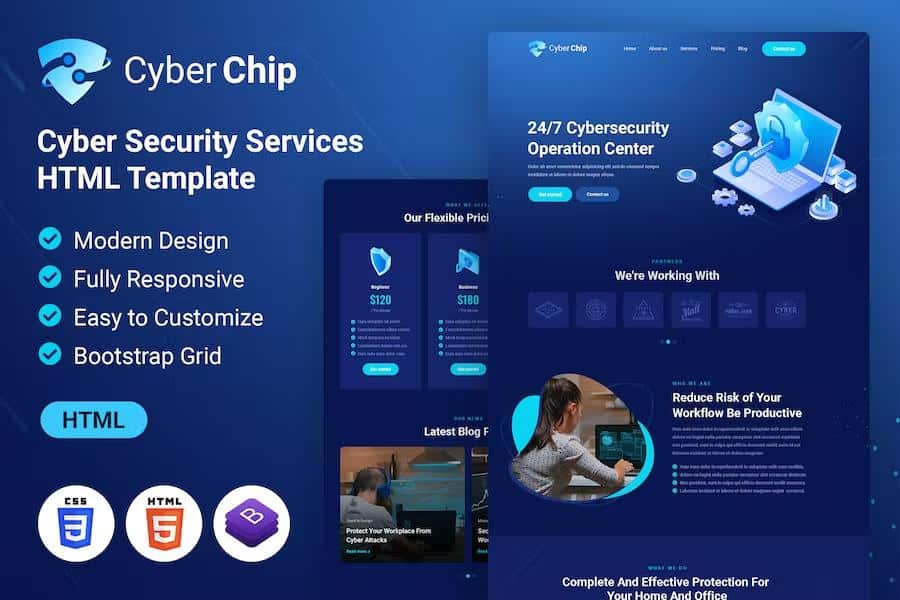
The CyberChip Web Security HTML template is a pre-designed website layout built to present creative portfolios, digital artwork, and related professional services online. Crafted with a modern parallax scrolling effect, the visual presentation provides depth and motion as visitors scroll down each page. The underlying structure relies on a fully responsive grid framework, ensuring that the layout adapts correctly to various screen sizes, from small mobile phones to high-resolution desktop retina displays. Artists, security consultants, and independent agencies can use this multi-purpose foundation to establish an immediate internet presence without building a layout entirely from scratch. Six distinct page templates are included in the package, covering essential sections such as homepage variants, service overviews, and dedicated portfolio grids to display images and project details clearly. Standard navigation elements and structured page hierarchies help visitors find relevant information quickly. Search engine friendliness is built into the underlying markup, allowing standard web crawlers to index the content effectively. Cross-browser testing guarantees that the pages render properly across major desktop and mobile web applications currently available on the market.
Customizing the visual appearance and textual content of the site involves modifying the raw source files using any standard plain text editor, such as Notepad++, Dreamweaver, or standard text programs. The package contains more than six valid HTML5 files that house the primary structure of the site, allowing owners to update headings, paragraphs, and lists directly within the code. Modifying the styling aspects, including banner graphics, padding, and font choices, is handled through the primary style sheet located within the asset directories. For instance, background images and banner containers are referenced inside the CSS code, where developers can swap out image paths or adjust dimensions to match specific branding needs. Color schemes can be adjusted across the entire site by locating the primary color hex codes inside the style sheet and replacing them with alternative values using a find-and-replace function. This approach gives individuals total control over the visual palette without requiring complex compilation tools or advanced background knowledge of modern server-side programming languages.
Interactive elements on the pages utilize established front-end libraries to enhance user engagement without slowing down browser performance. The layout incorporates the Bootstrap framework for its grid system and component structuring, providing a reliable foundation for responsive alignment. Team member sections feature a built-in carousel component powered by Bootstrap scripting, allowing multiple staff profiles or partner bios to rotate smoothly within a designated display area. Furthermore, the template integrates load-time animations driven by the wow.js library, which triggers subtle visual effects as elements enter the visible browser window during scrolling. Adjusting these animations requires only the addition or modification of predefined class names directly on the HTML elements, making it straightforward to customize the timing and style of the visual reveals. Technical documentation and file organization follow standard web development conventions, separating markup, styling, and scripts into dedicated folders for logical project management and future maintenance tasks by site administrators.
Related products

 Themeforest


Acquiring this digital product delivers a complete archive containing all necessary HTML documents, CSS stylesheets, JavaScript files, and image assets required to deploy the site on any standard web hosting server. Because the product is delivered as static source code, buyers retain complete ownership over their files and can host the completed site on any provider of their choice without recurring platform lock-in. Setting up the site involves uploading the extracted folder contents to a web server via an FTP client or file manager provided by a hosting control panel. Basic familiarity with HTML and CSS syntax is recommended for anyone planning to modify the text, colors, and layout structures effectively. No specialized database setup or server-side configuration is mandatory, as the pages rely entirely on client-side rendering. Buyers receive a self-contained web project ready for immediate editing, local testing, and final deployment to a live domain name for public viewing by potential clients, art collectors, and website visitors.
- Last updated
- August 2, 2026
- Delivery
- Digital
- Availability
- In stock
- Version
- Latest Version
- Category
- HTML Templates
- Item type
- template
This listing covers CyberChip Web Security - HTML, a HTML Templates from template. Use the source description and recorded item details below to check whether it fits the intended project.
Usage rights depend on the license selected at checkout. Review the complete terms before using this item for client work, redistribution, SaaS, or more than one end product.