Display Product - Multi-Layout For WooCommerce 2.1.2
Wordpress Plugins Codecanyon 4.8 (1.6K reviews)
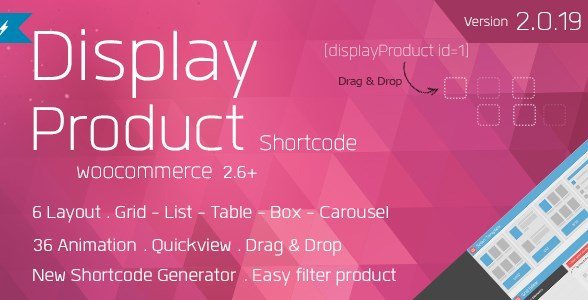
Display Product Multi-Layout for WooCommerce puts product placement decisions directly into your hands. This extension for WooCommerce, distributed through Codecanyon, lets you insert product listings into any part of your site—homepages, landing pages, sidebars, custom sections—and style each block to fit its surroundings. Instead of accepting the standard grid or list that comes with your theme, you can build separate product blocks for different contexts. A compact list in a sidebar might draw attention to a few featured items, while a larger animated grid on a promotional page could showcase an entire collection. The plugin handles these variations without custom code, and there is no limit on how many distinct blocks you can create. Each block carries its own layout and filtering rules, so different sections of your store can feel intentionally designed rather than default. The core idea is that you decide where products appear and what they look like when they get there.
Filtering and sorting are central to what this plugin does. You decide which products appear in each block using categories, tags, attributes, or your own custom criteria. Visitors can then sort the displayed items by price, popularity, rating, or other standard WooCommerce fields. This turns a product display into a functional tool, not just decoration. For instance, a homepage block might show filtered bestsellers while a landing page displays a category-specific list, both drawing from the same underlying product data. Since the filtering relies on WooCommerce's existing product fields, there's no need to set up duplicate product lists or maintain separate collections. The plugin also includes more than 36 animation effects, adding subtle transitions when products load or when filters change. Six layout styles cover common presentation needs, from traditional grids to more creative arrangements, and each one can be adjusted to fit the available space. Together, these options let you craft displays that feel polished and deliberate.
Similar products

 Yithemes

Building these displays happens inside a drag-and-drop builder, so you never have to write PHP or CSS. You pick the elements you need, arrange them, and set the conditions for which products appear. The builder offers live control over the design, letting you preview changes before publishing. Once a display is finished, you can save it and reuse it anywhere on your site. A built-in shortcode generator creates a simple tag that you paste into any page, post, or widget area. This keeps layouts portable without editing theme template files. If you manage client sites or run multiple stores, build a display once and insert it in any location. The plugin respects your existing WooCommerce product data, so prices, stock statuses, and add-to-cart buttons work normally inside the custom displays. You get a stylish front-end presentation without losing the standard shopping functionality your customers expect. The same display can be placed in multiple locations, giving you consistent design without extra work.
All of this is managed from a single admin panel, so you can handle different display formats without stacking extra plugins. The same tool can produce a sidebar list, a homepage grid, or a full-page collection view, each governed by its own layout and filtering rules. This keeps the setup clean and makes it easy to adjust one section without disturbing another. For store owners who want their product sections to look intentional, this extension offers a practical route. It combines layout flexibility, sorting logic, and animation into one WooCommerce-native package. You remain in control of every placement decision, from which products appear to how they are visually presented. No custom coding is required, and the workflow stays consistent no matter how many blocks you build. Available through Codecanyon, it installs and updates through the standard marketplace process. Product displays end up exactly where you want them, styled the way you want them, all with a single extension.
- Item type
- plugin
- Category
- Wordpress Plugins
- Version
- 4.31.0
- Availability
- In stock
- Delivery
- Digital
- Last updated
- August 10, 2026
Display Product - Multi-Layout For WooCommerce is cataloged as a Wordpress Plugins under plugin. Review the preview and recorded details alongside the original description before purchase.
Usage rights depend on the license selected at checkout. Review the complete terms before using this item for client work, redistribution, SaaS, or more than one end product.