Easy Serial Numbers for WooCommerce – WordPress Plugin 1.32
Wordpress Plugins Codecanyon 4.8 (107 reviews)
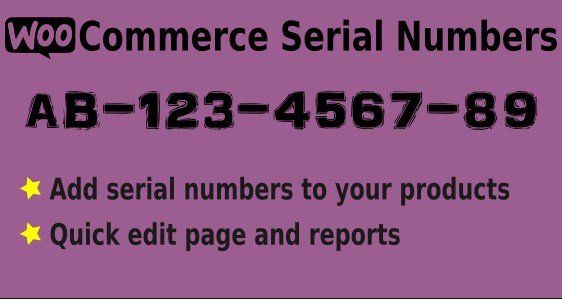
Selling products that depend on unique codes—software licenses, activation keys, gift card numbers—often means manually handing out keys after every purchase. Easy Serial Numbers for WooCommerce takes that entire job off your plate. It installs normally from the Codecanyon distribution channel and operates right inside your WordPress admin. The plugin adds a serial number section to WooCommerce, allowing you to mark a product as one that requires a valid code. Once you attach a batch of numbers to a listing, the plugin instantly knows which codes are free and which have already been sold. For anyone managing license keys, membership vouchers, or single-use coupons, having this visibility in the same system as your orders is a huge relief. You no longer need to cross-reference a spreadsheet or keep external records up to date. That control eliminates the guesswork and makes your stock of codes as clear as your stock of physical products.
Variable products get special attention. If you sell software with different editions or subscriptions with varying lengths, each variation can hold its own set of serial numbers. This way a standard edition, a premium edition, and a renewal pack are treated as separate inventories with their own purchase rules and stock counts. The quick edit screen is another time-saver. Instead of opening each product individually, you can assign serial numbers in bulk from one place. Paste a large list of codes, attach them to multiple products at once, and update stock levels immediately. Everything stays inside WooCommerce, so you skip spreadsheet exports and third-party syncing tools. Store owners can see at a glance how many codes remain for each variation, which helps with planning restocks and spotting shortages before they become a problem. This proves especially useful when you receive fresh files from a manufacturer or generate hundreds of keys at once. The process needs no coding skills or external services.
When a customer places an order, the plugin reserves one serial number for each eligible product automatically. The assigned code appears on the order confirmation page and is included in the order email, so the buyer gets it immediately. On the store side, the order details page displays the delivered code, making customer support and return handling much simpler. The plugin also maintains a running count of remaining codes. Once that count hits zero, the product is treated like an out-of-stock item, so nobody can purchase a code you cannot deliver. This automatic flow removes the need to email keys after each sale or manually mark orders as fulfilled. Every order becomes a permanent record of which code was sent, so there is no ambiguity later. Customers can find the code in their receipt, and your support team can look it up without digging through spreadsheets. The system prevents overselling by design, and each sale is backed by a real code.
More from this category

 WPForms


This plugin is built for anyone selling products that require unique codes. Software vendors, equipment makers, and distributors of activation keys will find it fits right into their existing workflow. It supports simple products, downloadable files, and variable options, and it connects directly with your WooCommerce setup. Because it ships as a standard plugin file from Codecanyon, you receive the same package as the original release, with no extra modifications. Installation is straightforward, and once running, serial number management appears in the dashboard where you expect it. No special coding skills are needed to add a batch of codes, check remaining stock, or review what was assigned to a particular order. Easy Serial Numbers for WooCommerce does not try to replace your entire business system. It simply gives WooCommerce the missing tool for handling serialized goods, so every order gets a valid code and every buyer receives what they paid for.
- Last updated
- August 9, 2026
- Delivery
- Digital
- Availability
- In stock
- Version
- 1.7.0
- Category
- Wordpress Plugins
- Item type
- plugin
The Easy Serial Numbers for WooCommerce – WordPress Plugin listing is available in Wordpress Plugins as a plugin. Check the description, item facts, and purchase details to assess its relevance to a project.
Usage rights depend on the license selected at checkout. Review the complete terms before using this item for client work, redistribution, SaaS, or more than one end product.