FontPress - Wordpress Font Manager 3.4.8
Wordpress Plugins Codecanyon 4.8 (4.3K reviews)
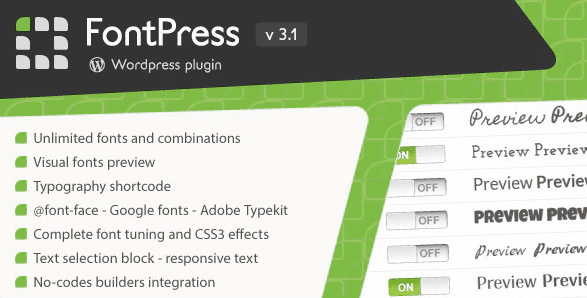
FontPress is a WordPress plugin that brings typography control directly into your site's workflow. It was originally distributed through Codecanyon, and this compact tool focuses on one thing: managing virtually any font without touching a line of code. The plugin works alongside your existing theme, giving you a way to apply different typefaces to various parts of your content. That makes it a natural fit for site owners who want the look of custom typography but don't want to hire a developer or edit theme files. The zip package you receive is the exact same file the original author distributes, so there's no repackaging or modification involved. Everything you need is inside that single archive. Its scope stays narrow, so you don't have to wrestle with a bloated settings panel just to change a heading style. Instead, it slots into your WordPress editor and gives you direct control over how text appears on the page.
The typography shortcode is central to what FontPress does. Shortcodes are small snippets you drop into any post, page, or widget area, and they tell WordPress to render text in a specific way. Instead of switching between global settings, you pick the moment you want a font change and insert the shortcode right there. That makes it easy to give one paragraph a distinctive display face while the rest of your article keeps its normal styling. You could use it for pull quotes, section headers, callout boxes, or any block of text that deserves extra visual weight. Because the shortcode targets individual pieces of content, you gain typography control at a granular level. The effect shows up exactly where you place it, and it doesn't disrupt the rest of your layout. The shortcode behaves like any other formatting tool, but it reaches much further. Working this way feels natural if you already write in WordPress.
Related products

 LearnDash


Visual font preview is one of the features that sets this plugin apart. Before you commit to a typeface, you can actually see how it will look on your site. The preview displays the font in context, showing the weight, spacing, and overall character of the letterforms. This helps you make a confident choice before applying anything. FontPress also handles responsive text, which means the typography adjusts to fit the screen size of whoever is visiting. A visitor on a phone sees scaled text that matches their viewport, and someone on a desktop sees the same piece of content sized for a wider display. This responsiveness protects your design integrity across devices. You don't need to guess how a font will render or switch back and forth checking the front end. That preview gives you the information up front, so you can compare options side by side if you want. It turns font selection into a simple visual process.
FontPress is a small plugin, and that's a deliberate trade-off. It doesn't try to replace your theme or redesign your whole site. Instead, it adds a focused typography layer that works with the setup you already have. The original comes from Codecanyon, meaning you get the same file the author published. You receive the plugin as a zip file, which is how WordPress plugins are normally delivered. There's no need to rebuild your site around it. The value comes from having control over typefaces with a lightweight tool that stays out of the way. For someone who runs a blog, a business site, or a portfolio, that mix of control and simplicity matters more than bloated features. Font choices affect how people read your content, and even small typography changes shift the feel of a page. The plugin lets you make those changes from your WordPress dashboard. That independence is the real point.
- Last updated
- August 11, 2026
- Delivery
- Digital
- Availability
- In stock
- Version
- 2.3.2
- Category
- Wordpress Plugins
- Item type
- plugin
The available listing for FontPress - Wordpress Font Manager places it among Wordpress Plugins products. It is presented here as a plugin with its supplied description and purchase information.
Usage rights depend on the license selected at checkout. Review the complete terms before using this item for client work, redistribution, SaaS, or more than one end product.