Global Gallery - Wordpress Responsive Gallery 10.1.4
Wordpress Plugins Codecanyon 4.8 (3.3K reviews)
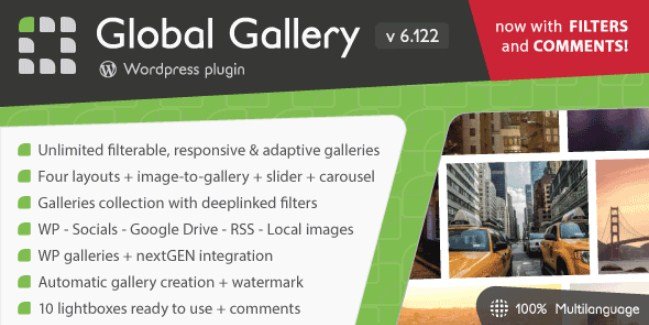
Global Gallery is a WordPress plugin built for displaying photo collections directly on your website. It gives you control over how images are organized and presented. The gallery output adapts to the screen it is viewed on, so a desktop monitor, a tablet, and a phone all get a layout that fits without extra work from you. You set up the gallery once, and the plugin handles the resizing and reflowing automatically as visitors switch devices. The plugin ships as a single .zip file, which you install through the WordPress admin panel like any other plugin. Once activated, it provides tools to manage multiple galleries from one place, without touching code or configuring complicated settings. Galleries can be added without limit, and each one holds its own set of images with distinct filter tags. That makes it useful for portfolios, event coverage, product shots, and any page where a static image list falls short.
Similar products

 PaidMembershipPro


Two core ideas shape how Global Gallery works: unlimited galleries and tag-based filtering. There is no fixed limit on how many photo galleries you can create, so a site with one portfolio and a site with hundreds of client projects use the same plugin. Each gallery can be displayed in one of four layout options, giving you a basic choice about how the images are arranged on the page without needing custom CSS. The filter system works through image tags. You assign tags to individual images, and visitors can click or tap those tags to narrow the visible set instantly. The categories that appear on your site are always the ones you defined, because they come from your own tags. A gallery that mixes portraits, landscapes, and detail shots can be organized so people can view one category at a time. The combination of unlimited galleries, four layouts, and tag filters covers most presentation needs for photographers, agencies, shops, and content-heavy websites.
The Image-to-Gallery system handles the connection between uploaded images and the galleries they appear in. That is the piece that keeps the workflow direct: an image is attached to a gallery, and the gallery picks it up without any extra steps. Configuration as a whole stays simple. The settings are laid out in the WordPress admin area, and the default options work well enough to produce a functioning gallery right after activation. You can adjust the small details when you need to, but there is no steep learning curve before your first gallery goes live. The plugin arrives as the same .zip package that the original author distributes through Codecanyon, and you upload that file through WordPress's built-in plugin installer. There is no separate setup wizard, no external account, and nothing to configure outside your own dashboard. Most of what the plugin offers is visible from the moment you add your first images.
On the front end, visitors get a gallery that feels responsive in the real sense. Images resize smoothly, the container reflows when they rotate their phone or resize the browser window, and the filter controls stay usable at any width. Tapping a tag narrows the visible selection to just the images carrying that tag, which keeps the interaction quick and direct. Because the filters are built from tags you create, the labels match your content rather than generic categories. That makes the plugin practical for photography portfolios that need categories like location, year, or subject, and for product pages where visitors want to sort by color, type, or collection. The admin side keeps everything in familiar WordPress screens, so uploading an image, tagging it, and assigning it to a gallery follows the same mental model as writing a post. For anyone who manages an image-heavy site, Global Gallery keeps the work of organizing and presenting media in one familiar place.
- Item type
- plugin
- Category
- Wordpress Plugins
- Version
- 1.4
- Availability
- In stock
- Delivery
- Digital
- Last updated
- August 9, 2026
Global Gallery - Wordpress Responsive Gallery belongs to the Wordpress Plugins section and is treated as a plugin. Its preview, description, and listing facts can be checked without adding claims not found in the source.
Usage rights depend on the license selected at checkout. Review the complete terms before using this item for client work, redistribution, SaaS, or more than one end product.