Highlighter – Highlighted heading for Elementor 2.0.0
Wordpress Plugins Codecanyon 4.8 (1.1K reviews)
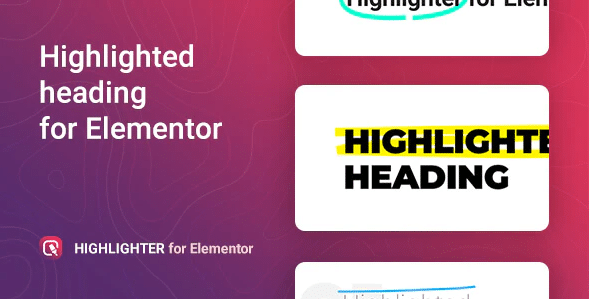
Highlighter is a focused add-on for Elementor, the WordPress page builder. It adds a dedicated widget to your Elementor panel that creates highlighted headings for posts, pages, and custom post types. The widget behaves like a normal heading element, but it paints a striking highlight behind the text. This effect gives your titles a marker-drawn appearance that works across multiple lines. You can place it anywhere in your layout, including inside columns, accordions, or tabs. Because it is built natively for Elementor, it uses the same editing interface you already know. There are no extra menus or separate settings pages. You simply drop the widget onto the page, type your heading, and adjust its appearance from the left-hand panel. This makes it easy for both beginners and experienced builders to add a distinctive touch to their site without touching custom code. The plugin is distributed as a standard WordPress plugin zip, so installation follows the usual upload process through your admin dashboard.
Configuration is intentionally straightforward. After adding the widget, you can set the heading text from the content area, just like any other Elementor heading. The available settings let you change how the highlight looks, so it fits naturally with the rest of your page. The highlight automatically adjusts to the shape of your text, meaning short words and longer phrases both appear clean. There is no need to specify coordinates, crop boxes, or image assets. The widget handles everything in the background. You do not need any coding knowledge to use it, which makes the widget accessible to beginners and busy site owners alike. The focus is on simplicity, so you spend less time fiddling with settings and more time publishing content. This ease of use extends to responsive behavior. You can hide or adjust the heading on mobile devices using Elementor's responsive controls. The result is a heading tool that behaves the way you expect, with the added visual interest of a hand-highlighted effect.
Related products
 Codecanyon

The primary benefit of this widget is that it lets you draw attention to specific words without rebuilding your page. For example, you can use it on a section title to emphasize a marketing phrase, or on a single post heading to create a memorable first impression. Because the highlight is applied directly to text, it feels different from a plain colored background or a border. It mimics the way a person would use a marker on paper, which can make your content feel more personal and approachable. The widget works in conjunction with Elementor's standard typography settings, so you can still adjust font family, size, weight, and letter spacing. That means the highlight never forces you into a particular font style. You retain full control over the rest of your design. If you are building a landing page, a blog post, or a portfolio item, the highlighted heading gives you another visual option.
For anyone already using Elementor, this plugin adds a small but meaningful tool to your design toolkit. It removes the need to create highlight effects with complex CSS or third-party graphics. The installation process is the familiar WordPress plugin upload, and once activated, the new widget appears immediately in the panel. You can start using it right away, without any licensing screens or extra configuration steps. The highlight effect is purely visual, so it does not slow down your page or interfere with your existing plugins. It respects the responsive and accessibility standards that Elementor itself follows, keeping your headings readable across devices. If you later disable the widget, your content remains intact because you are still using standard heading text behind the effect. This practical approach makes the plugin a sensible addition for content-focused websites that want a little extra flair on their titles. It delivers the visual effect without adding complexity to your workflow.
- Last updated
- August 2, 2026
- Delivery
- Digital
- Availability
- In stock
- Version
- 1.5.0
- Category
- Wordpress Plugins
- Item type
- template kit
The available listing for Highlighter – Highlighted heading for Elementor places it among Wordpress Plugins products. It is presented here as a template kit with its supplied description and purchase information.
Usage rights depend on the license selected at checkout. Review the complete terms before using this item for client work, redistribution, SaaS, or more than one end product.