Icon Box for Visual Composer 1.5.1
Wordpress Plugins Codecanyon 4.8 (3.9K reviews)
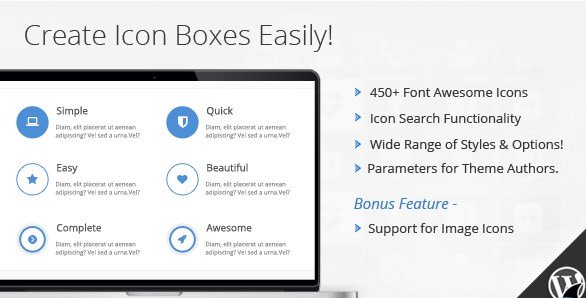
Icon Box for Visual Composer is a WordPress plugin that places a ready-made icon box element inside the Visual Composer page builder, the drag-and-drop tool now widely known as WPBakery. An icon box is a compact module that pairs a symbol, such as a star, a gear, or an arrow, with a short title and a small block of text. This pattern shows up all over the web, usually in feature sections, service listings, or step-by-step process displays. The plugin packages that layout as a native component in the builder's element library, so you can drag it onto a page, drop it into any row or column, and start customizing immediately. Nobody needs to write HTML by hand, manage shortcodes, or install separate widgets that might not fit the layout. Because the element works just like other Visual Composer components, anyone already comfortable with the builder will feel at home with it instantly.
The heart of this plugin is its icon system. It includes the full Font Awesome icon font, which gives you hundreds of symbols to work with rather than a small fixed set of generic images. Finding the right icon is handled through a real-time search box in the plugin's settings panel. As you type a keyword such as 'phone,' 'cloud,' or 'check,' the icon list filters instantly, so you can locate the symbol you want without scrolling through endless grids or remembering the exact icon name. That search-driven workflow matters most on busy sites where you need to swap icons quickly and keep moving. Each icon can also have its own size, color, and alignment, and those settings live inside the element itself, so you do not have to open a separate style sheet or write any custom CSS to make an icon stand out. Everything you need to style the symbol sits in one place.
Similar products

 WooCommerce.com


Beyond picking an icon, the plugin offers a range of built-in box styles that change the overall look of the module. You can keep things minimal with a plain icon next to your text, or choose a framed style where a border wraps around the content, or go with a background-filled style that places the icon inside a colored square or circle. These options are baked into the element, so building a consistent set of boxes across a page is mostly a matter of selecting the right settings rather than constructing each one from scratch. The plugin is described as extendible and flexible, which means the element is structured to adapt to different kinds of layouts instead of locking you into a single fixed design. Adjusting the spacing is straightforward, and you can decide whether the icon sits above or beside the text, then shape the box to match the visual tone of your theme without touching code.
Because this is a plugin for Visual Composer, it fits naturally into the workflow of anyone who already builds pages with that builder. The icon box appears alongside the standard elements, so adding one takes only a drag and a few adjustments in the familiar interface. Distribution goes through Codecanyon, a well-known marketplace for WordPress and web tools, as a standard WordPress plugin package, and it activates like any other plugin from your admin dashboard. Once active, the element becomes available in every page or post where Visual Composer is enabled, giving site owners, freelancers, and small design teams a dependable way to build clean icon-based sections without writing code by hand. For anyone who manages a WordPress site and wants a quicker path to polished feature grids, service blocks, or comparison columns, this plugin does the heavy lifting in the background while you simply arrange the pieces on the page.
- Last updated
- August 10, 2026
- Delivery
- Digital
- Availability
- In stock
- Version
- 1.5.2
- Category
- Wordpress Plugins
- Item type
- plugin
This page summarizes the available listing data for Icon Box for Visual Composer in Wordpress Plugins. The item type is recorded as plugin, with further details shown below.
Usage rights depend on the license selected at checkout. Review the complete terms before using this item for client work, redistribution, SaaS, or more than one end product.