Instant VA | Virtual Assistant HTML Template Latest Version
HTML Templates Themeforest 4.8 (4.9K reviews)
A) Introduction
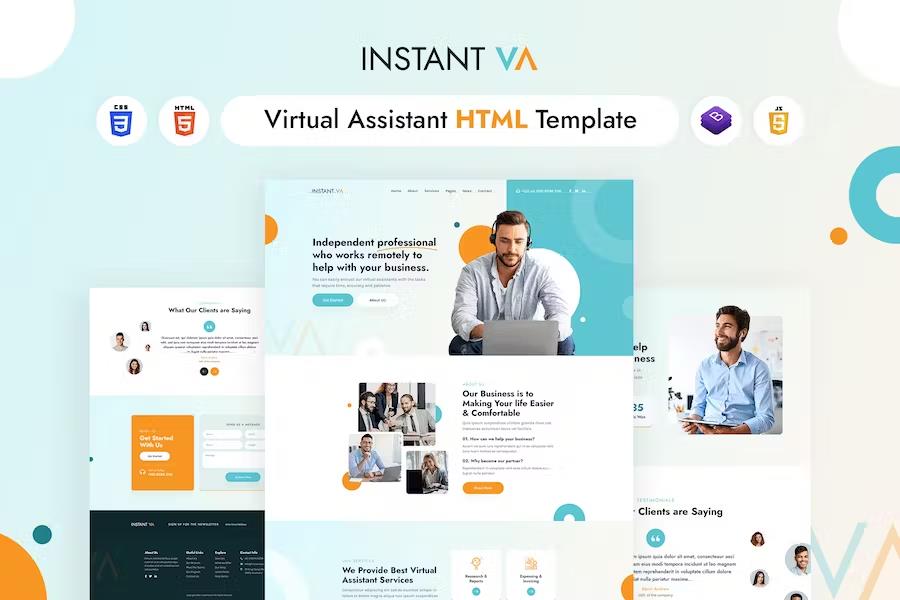
The Instant VA | Virtual Assistant HTML5 website template is a custom design package that is exclusively made for virtual assistance. It provides the best way to the independent professional to help in your business. Instant VA is highly recommended for those who are searching for a best virtual assistant services. It has a modern, clean, creative & unique design based on the latest technology.
It contains Home layout and about layout and 06+ valid HTML5 page templates designs. The Instant VA | Virtual Assistant template features the coded with Bootstrap v4.0, HTML5 & CSS3 and unlimited color schemes. It’s compatible with all modern browsers and search engine friendly. So showcase your artworks and services with this awesome template!
Related products

 Codecanyon

**B) How to Edit HTML Files? **
We have included 06+ custom HTML templates like Home Page style, About us style, Pricing Plan style and Project Page style etc. Please open any HTML files with a text editor like Dreamweaver, Notepad or Notepad++ and edit any lines what you want.
C) How to Edit CSS Files?
We have included some custom CSS styles like style.css (default). Please open any CSS files with a text editor like Dreamweaver, Notepad or Notepad++ and edit any lines what you want. For example if you want to edit your banner images open style.css and look at “.banner-con” for banner image and change your styles.
D) How to use Color Schemes?
Please open style.css file from instant-va/assets/css folder with a text editor and build your own colors. #0b0d29 this is our primary color, you can search and replace all to your new color code.
E) How to use On Load Animation?
We are wow.js on load animation for our website. you can edit them by simply adding or changing the predefined classes name.
- Last updated
- August 2, 2026
- Delivery
- Digital
- Availability
- In stock
- Version
- Latest Version
- Category
- HTML Templates
- Item type
- template
For shoppers browsing HTML Templates, Instant VA | Virtual Assistant HTML Template is recorded as a template. The page below separates supplied product information from general store and license terms.
Usage rights depend on the license selected at checkout. Review the complete terms before using this item for client work, redistribution, SaaS, or more than one end product.