Jetsloth – Gravity Forms Tooltips 1.2.14
Wordpress Plugins Jetsloth 4.8 (1.5K reviews)
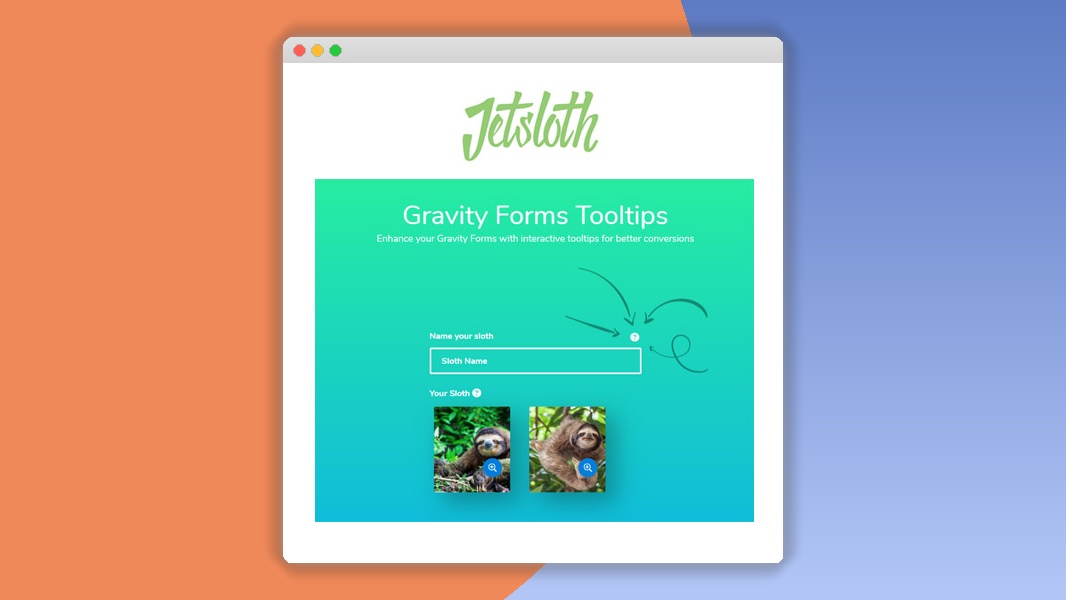
Jetsloth is a WordPress plugin that adds tooltip help to Gravity Forms fields. When someone fills out a form, they can hover over, click on, or tab to a field and see a small popup with extra guidance. This is useful for explaining unfamiliar terms, clarifying what format an answer should take, or giving a short example of the kind of information you need. The plugin installs like any other WordPress add-on and places its settings directly inside the existing Gravity Forms field editor, so there is no separate screen to learn and no coding required. It works with all versions of Gravity Forms, is built to be light enough that it does not slow down page loading, and appears cleanly on desktop, tablet, and mobile screens. Form owners get immediate context for their audience without cluttering the layout, since the help stays hidden until requested.
Tooltip content is not limited to plain text. You can include rich HTML, so links, bold text, bullet lists, and even images can appear inside the popup. Shortcodes work as well, which makes it possible to pull in dynamic content from elsewhere on the site. Each field gets its own tooltip, and you choose when it shows: on hover, on click, or when the field receives focus for keyboard users. A delay option prevents hover tooltips from firing accidentally, and touch-device users can have tooltips disabled or triggered by tap depending on your preference. The tooltip window also positions itself intelligently, adjusting to stay visible on narrow screens instead of drifting off the edge of the viewport. A few pre-defined styles cover the common looks, and custom CSS tailors the appearance to your brand. The whole setup happens inside the familiar Gravity Forms editor, so you create and manage tooltips where you already build your form.
For people who manage complicated forms, this tool removes a lot of guesswork. Long multi-page forms benefit from step-by-step hints attached to specific fields. Legal or technical terms, product configuration choices, and fields that require a particular format all become easier to fill in correctly when an explanation is one tap away. Because the settings live per-field, you control exactly which inputs have help text and which stay untouched. The plugin was built with accessibility best practices in mind, and the focus trigger pairs naturally with keyboard navigation. Recent updates have introduced better handling of complex HTML inside tooltips, a reworked positioning engine, and compatibility fixes for current Gravity Forms releases. Forms with many fields initialize quickly thanks to efficient JavaScript, and minor CSS refinements keep rendering fast. The delay setting for hover tooltips also helps prevent accidental pop-ups on cluttered layouts. Everything stays within the Gravity Forms interface, so there is no steep learning curve for form builders.
The practical result is fewer abandoned submissions and less confusion for the people on the other end of the form. Instead of guessing what 'Tax ID' means or which format a phone number should use, users get a quick reference without leaving the page. This also cuts down on support emails asking for clarification. The plugin keeps the form itself visually clean, since the explanatory text is hidden until requested, so designers can maintain a professional layout while still providing plenty of guidance. Because everything is managed inside Gravity Forms, adding a tooltip is just another step in building a field rather than a separate project. Updates stay in sync with Gravity Forms releases, and the plugin remains compatible with common themes and third-party plugins. For anyone running Gravity Forms, the value is straightforward: clearer instructions at the moment they matter, with no change to the way the form is put together.
 Wpfomify
- Item type
- plugin
- Category
- Wordpress Plugins
- Version
- 1.0.2
- Availability
- In stock
- Delivery
- Digital
- Last updated
- August 9, 2026
Jetsloth – Gravity Forms Tooltips appears in the Wordpress Plugins catalog and is classified as a plugin. The page focuses on information available in the listing rather than unsupported performance or compatibility claims.
Usage rights depend on the license selected at checkout. Review the complete terms before using this item for client work, redistribution, SaaS, or more than one end product.