Live Product Editor for WooCommerce 4.5.1
Wordpress Plugins Codecanyon 4.8 (1.7K reviews)
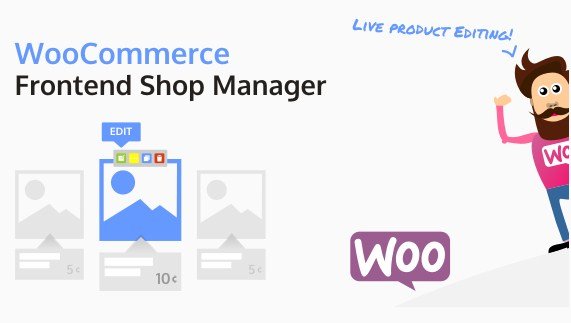
The Live Product Editor for WooCommerce, also known as WooCommerce Frontend Shop Manager, brings product management directly onto your store's front end. Instead of switching back and forth between the WordPress dashboard and your shop, this tool lets you make changes right where your customers are browsing. The plugin attaches itself throughout the storefront, placing editing controls in context with your product listings, detail pages, and other shop areas. That means you can adjust details without ever leaving the page your visitor sees. The interface is designed to be approachable and clean, so you don't need to dig through complex menus to find what you're looking for. It works with your existing WooCommerce setup, giving you a more direct way to handle everyday product updates. For shop owners who constantly tweak their catalog, this frontend approach saves real time. The plugin is available through Codecanyon and comes as a standard installable plugin.
Once installed, the plugin adds editing controls onto your product pages. When you interact with a product display, you'll see a way to edit that specific item in place. Clicking into the editor reveals the essential product fields you'd normally find in the WooCommerce dashboard, such as title, description, price, and stock status. You can make your changes and save them without leaving the page. This live editing functionality works across the shop, so whether you're looking at a grid of items or a single product page, the controls are right there. The clean interface makes it obvious what's editable and keeps the shopping experience intact. You don't need to prepare a staging environment or open a separate tab; the process is straightforward and direct. For multi-product stores, this method of handling updates feels much more natural than going through the backend. It's a practical approach when you have many items that need frequent tweaks.
More from this category

 PixelYourSite


Beyond editing existing items, the plugin also lets you create new products directly from the frontend. A dedicated button or link gives you access to a creation form without sending you to the admin panel. You fill in the same essential details you'd enter when adding a product in WooCommerce, and the new item appears right in your catalog. This is especially handy when you're working on your site and want to add something quickly without breaking your flow. The plugin's configuration options are designed to be simple as well. You can control where editing controls appear, decide who has permission to use them, and adjust how the interface behaves to match your store's layout. The setup process usually involves just activating the plugin and tweaking a few settings to fit your preferences. Nothing about the configuration requires technical know-how, so even a shop owner who is not a developer can get this running without a lot of fuss.
The real value of this plugin lies in how it weaves itself into your shop's everyday workflow. Since it works across the whole frontend rather than being limited to a single page, you get a consistent editing experience wherever you go. You can manage your catalog from the same place your customers shop, which gives you a better sense of how your products actually appear. The plugin is distributed through Codecanyon, a well-known marketplace for WordPress plugins, and comes as a straightforward zip file that you can install like any other plugin. That means you're getting a tool built for a common need: making WooCommerce product management less of a chore. If you run a store that changes often, want to give a non-technical team member the ability to handle products, or simply prefer staying on the front side of your site, this editor offers a practical solution. The focus stays on simple, direct control over your products, with no clutter.
- Last updated
- August 9, 2026
- Delivery
- Digital
- Availability
- In stock
- Version
- 6.2.5
- Category
- Wordpress Plugins
- Item type
- plugin
Live Product Editor for WooCommerce is listed in Wordpress Plugins as a plugin. The supplied description, preview, version, price, and recorded product details are collected here for review.
Usage rights depend on the license selected at checkout. Review the complete terms before using this item for client work, redistribution, SaaS, or more than one end product.