Logo Showcase - WordPress Logo Plugin 1.1.1
Wordpress Plugins Codecanyon 4.8 (1.6K reviews)
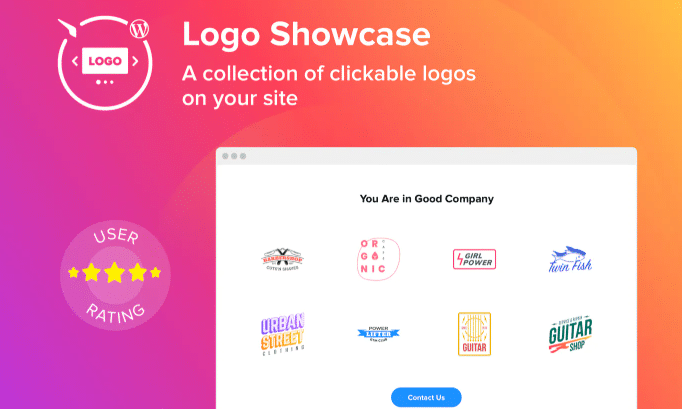
This plugin gives WordPress site owners a straightforward way to display the logos of partners, sponsors, or press mentions. Instead of patching together images with manual HTML, you get a dedicated tool that organizes these visual brand credits in one place. The plugin works directly within your WordPress dashboard, so adding a new logo becomes a simple task of uploading an image and entering a name or website link. Updating a logo takes seconds, and the whole section stays consistent without you needing to touch any code. If your site regularly features collaborators or media coverage, this keeps that section tidy and easily updatable. Because it is built specifically for WordPress, it fits into the way your site already works, without requiring you to learn a separate system. You manage everything through familiar WordPress interfaces, which makes the whole process less intimidating for beginners and more efficient for experienced users.
Other products to consider
 Learnpress
In terms of daily use, the plugin focuses on being uncomplicated. The configuration process is designed to be very easy, meaning you can quickly get a functional logo showcase running shortly after installation. You are not expected to write custom code or fiddle with theme files. A dedicated settings area lets you control how the logos are displayed. It handles the presentation for you, displaying all your logos in a manner that looks intentional and professional. This is especially useful for sites that need to acknowledge sponsors or partners without letting those logos clutter the rest of the page. Everything stays contained within its own area, so your logo section remains visually separate from your main content. For site administrators, that translates into less time spent arranging images and more time focusing on the content that matters. The goal is to keep the setup accessible to just about anyone, regardless of technical background.
Another strength is how naturally it fits into an existing WordPress environment. The plugin is built to work alongside your current theme, so there is no need to restructure pages or manually create custom post types. You simply use the plugin's settings to define how the logos appear, and the rest is handled for you. It also makes updates simple. If a sponsor changes their logo or a new partner comes on board, you can swap an image without rewriting any code. This kind of convenience is what many site owners are looking for when they choose a dedicated logo plugin over a generic image block. The plugin stays out of the way, letting you run your site exactly as you normally would. There is no complicated setup process and no need to alter the way your content is organized. This makes it a reliable choice for sites that already have an established publishing routine.
For anyone running a blog, business site, or online publication, presenting partner logos and press mentions in a polished way adds credibility. Visitors can quickly see which organizations are associated with the site, which builds a sense of trust. A logo area acts as a visual endorsement, and keeping it up to date shows that your site is actively connected to those organizations. This plugin gives you a reliable method for maintaining that visual credibility. Because the plugin comes from the Codecanyon marketplace, you are getting a product that has gone through a recognized distribution channel. The download is a straightforward WordPress plugin file that you install like any other plugin. Once active, it simply does what it was designed to do: show logos in a tidy, manageable way. For WordPress users who want a no-fuss solution for showcasing affiliates, sponsors, or media logos, this plugin offers a practical answer.
- Item type
- plugin
- Category
- Wordpress Plugins
- Version
- 4.0.1
- Availability
- In stock
- Delivery
- Digital
- Last updated
- August 9, 2026
Logo Showcase - WordPress Logo Plugin appears in the Wordpress Plugins catalog and is classified as a plugin. The page focuses on information available in the listing rather than unsupported performance or compatibility claims.
Usage rights depend on the license selected at checkout. Review the complete terms before using this item for client work, redistribution, SaaS, or more than one end product.