Logos Showcase - Multi-Use Responsive WP Plugin 2.2.5
Wordpress Plugins Codecanyon 4.8 (811 reviews)
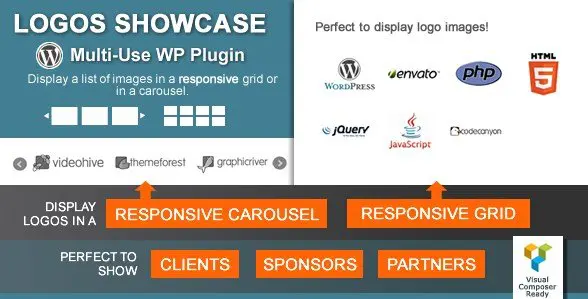
This WordPress plugin handles the task of displaying logo sets, client images, or any collection of pictures you want to show off. You can arrange your images in a clean grid or put them inside a carousel slider that visitors can swipe or click through. The layout adapts automatically to phones, tablets, and desktops, so your showcase stays tidy no matter the screen size. Setting it up is straightforward: upload your images, pick a layout, and paste a shortcode into a page. There is no need to write code to get a basic logo wall running. That direct approach makes it a practical tool for sites that need to present brand relationships, client lists, or partner badges without fuss. The result is a uniform, professional-looking presentation across different sections of your WordPress site. You do not need to touch theme files or learn any special skills. It simply works with the tools you already have.
Beyond the basic grid and slider, the plugin includes a third presentation style, giving you three distinct layouts in total. Each one can be selected from the dashboard, and you can switch between them without changing your uploaded images. Categories play a central role in organizing larger sets. You assign each logo or image to a category when you upload or edit it, and the front-end filter buttons appear automatically. That lets visitors narrow down the display by client, partner, industry, or any grouping you define. Category names are fully customizable, so the labels match your site’s language rather than generic terms. This is especially useful when you have many logos and want to avoid overwhelming people with a single long wall. The filtering is built in and does not require extra configuration or additional plugins. Mix and match these arrangements across different parts of your site, so a sidebar might use a list while a partners page uses the slider.
Getting the showcase onto your site works several ways. A dedicated widget places it in sidebars or widget-ready areas without code. If you build pages with WPBakery's Visual Composer, a dedicated element lets you drop it in while editing visually. For regular content, a shortcode generator produces the exact code you need, which you can paste into posts, pages, or custom templates. Theme developers can use the PHP function generator to embed the showcase directly inside a template file. This range of options covers both beginners and seasoned builders. A custom feature name setting is also included, so you can change labels or identifiers to match your project. On top of that, the plugin loads only the resources required for the layout you choose, meaning you are not adding heavy scripts to pages that do not use the showcase. You handle all of this from the WordPress dashboard, so there is no need to hunt through theme files.
Other products to consider

 Codecanyon
![Event Booking Pro - WP Plugin [Paypal or Offline]](https://gplzone.com/site/uploads/2026/Aug/02/Screenshot_5-1.webp)

Because the plugin is made for multiple uses, you can place the same set of images in a footer, a dedicated partners page, a sidebar, or inside a post, and show them in different layouts in each spot. Update one logo, and the change appears everywhere that showcase is used, which saves time for site owners with evolving client lists. The carousel responds to touch swipes on mobile, so visitors can flick through images naturally, while desktop users get navigation arrows and dots according to your settings. Grids and sliders reflow to fit the viewing screen without requiring custom breakpoints. No special styling skill is needed to get a clean look; sensible defaults work across browsers right away. The plugin keeps everything contained in its own interface, so you are not searching through theme files to manage your logos. That central control means the display stays visually consistent even as your list of partners or clients grows.
- Last updated
- August 10, 2026
- Delivery
- Digital
- Availability
- In stock
- Version
- 2.13.0
- Category
- Wordpress Plugins
- Item type
- plugin
Logos Showcase - Multi-Use Responsive WP Plugin is listed in Wordpress Plugins as a plugin. The supplied description, preview, version, price, and recorded product details are collected here for review.
Usage rights depend on the license selected at checkout. Review the complete terms before using this item for client work, redistribution, SaaS, or more than one end product.