Masy - Responsive Email + Online Template Builder Latest Version
HTML Templates Themeforest 4.8 (2.3K reviews)
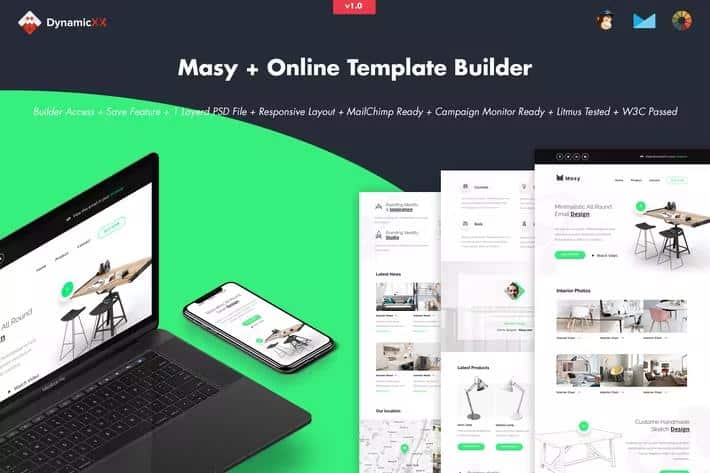
Masy is a browser-based template builder for creating responsive email designs and online page layouts. You do not need to touch code. The interface lets you drag pre-built modules into the canvas, then rearrange, duplicate, or hide them with simple controls. Colours can be changed with a click, and text editing happens inline on the design itself. Background images can be uploaded from your desktop or pulled in from a URL. A redo and undo system covers every action, so you can work through variations without worry. Preview mode displays a rough view of how the template will behave, and save/upload options let you keep projects online or pull them back down. When you are satisfied, exporting the file to your desktop gives you a portable HTML result. The output scales down gracefully on smaller screens. All of this stays within one browser tab, which makes it approachable for people who have never built an email template before.
Other products to consider
 Themeforest

Templates built with Masy are fully responsive and use a full-width design structure. They pass W3C validation and have been tested in Litmus, a service that checks how emails render across different clients. Supported environments include Apple Mail, Android, AOL, Outlook.com, Yahoo Mail, Thunderbird, Microsoft Outlook 2003/2007/2010, Outlook Express, Windows Mail, Lotus Notes 8/8.5, OperaMail, iPad, iPhone 4/5/6/6+, Live Mail, and Notes. There are two known limitations. The Gmail app for Android is not supported, and Outlook does not accept background images or custom fonts; it substitutes a solid background colour and a standard web font instead. That behaviour is typical for Outlook and worth planning around when you set up a design. The full-width, responsive nature of the output means your content will stretch or shrink across device sizes, giving you a solid base for email campaigns or webpage modules. Most recipients should see your layout as you intended, apart from the Outlook substitutions.
Masy produces plain HTML files that you can hand off to popular email services. The output is compatible with MailChimp, Campaign Monitor, Constant Contact, iContact, and Aweber, so you can build a template here, export it, and import it into your preferred campaign tool. The saved project can be stored online through the built-in save option, and you can also upload existing files back into the builder for further edits. Background images can be placed from your computer or by referencing an external URL, and every text block supports instant editing without opening a separate settings panel. One practical detail to keep in mind is that the images shown in the live previews on the product page are not included in the download package. They are only for demonstration, so the exported template will not carry those sample pictures over. You will need to supply your own imagery for the final design.
For anyone who needs to produce regular email campaigns or page layouts, Masy removes the need to hand-code every variation. You can build a template, save it online, and come back later to duplicate or hide modules for a fresh version. The redo and undo controls let you walk back changes, and preview mode gives you a quick look before exporting. That workflow keeps everything in one place. Masy runs entirely in the browser, so there is no software to install and the learning curve stays short. Final HTML files are portable, meaning you keep control of the output and can move it between services. If you want to produce responsive email templates without touching code, Masy handles that directly. It will not cover every edge case of every email client, but it covers a wide range of popular ones, and the exported files provide a clean foundation you can adjust further if needed.
- Item type
- template
- Category
- HTML Templates
- Version
- Latest Version
- Availability
- In stock
- Delivery
- Digital
- Last updated
- August 2, 2026
Masy - Responsive Email + Online Template Builder belongs to the HTML Templates section and is treated as a template. Its preview, description, and listing facts can be checked without adding claims not found in the source.
Usage rights depend on the license selected at checkout. Review the complete terms before using this item for client work, redistribution, SaaS, or more than one end product.