MINIMAG - Magazine & Blog HTML Template Latest Version
HTML Templates Themeforest 4.8 (4.3K reviews)
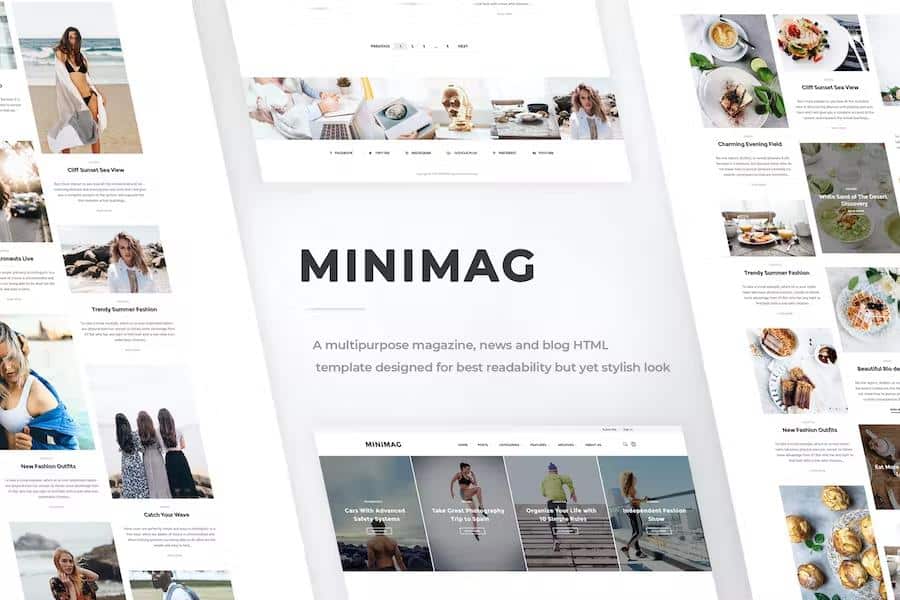
MiniMag is a magazine and blog HTML template built for publishers who want their content to lead. The design depends on clean layouts and generous white space, so articles stay comfortable to read even over long stretches. Instead of heavy visual effects, every element serves the text: clear headings, even line spacing, and a restrained color palette. That makes the template a natural fit for news portals, personal blogs, review sites, and niche magazines. The simplicity is intentional, because the main job of a magazine is to deliver stories without distraction. Even so, the template looks polished and current. The focus remains on the words rather than the decorative elements around them. Site owners can select from eleven different home page designs, each one offering a different starting point for articles, categories, and featured posts. This variety means a food blog, a tech news site, or a lifestyle publication can all find a layout that matches its style.
Among those eleven layouts, several use the Revolution Slider to turn the top of the page into a dynamic showcase. Editors can rotate through the latest stories, highlight a single long-read, or feature a photo essay with smooth transitions. The slider is fully configurable, so the speed, pagination, and animation style can be adjusted without touching the underlying code. Below the slider, each home page arranges grids, lists, and sidebars differently. Some designs favor large image blocks, while others use a compact magazine layout with smaller thumbnails and more headlines. This range helps a new site stand up quickly, because the starting structure already handles the heavy lifting of classification. Article pages remain uncluttered, with clear metadata, author names, and share buttons placed where readers expect them. Category pages, archive pages, and search results all follow the same visual language, so the entire site feels like one continuous publication.
MiniMag is built on Bootstrap 4.x, which gives the whole template a stable foundation across browsers and devices. The layouts respond fluidly to any screen size, so desktop, tablet, and phone all get a version that feels natural. Photographs resize properly, menus collapse into mobile-friendly patterns, and text stays legible without horizontal scrolling. The HTML is W3C validated, meaning the markup follows official standards and avoids errors that can slow a site down. For Arabic, Hebrew, or other right-to-left languages, the template includes full RTL support. The styles flip automatically, keeping the clean proportions in any reading direction. Search engine optimization is built into the structure. Semantic heading tags, descriptive title areas, and clean link formatting help search engines understand each page. A working contact form is also included, saving you from coding one from scratch. It is ready to be linked to your own mail handler or service.
Bootstrap 4.x also makes sure the template behaves predictably when new updates appear. The download includes documentation covering setup, color adjustments, logo swaps, and slider changes. The instructions work for a range of skill levels, so someone who has never touched HTML can still get a local version running. For developers who want to go further, the code is clean and well-organized, with clear class names and commented sections. That makes it a practical starting point for custom builds rather than a closed theme. MiniMag does not lock you into a content management system; it works as plain HTML, so any publishing workflow can be used. The result is a template that respects the craft of journalism while still giving site owners flexibility to make the design their own. You get the structural pieces needed to go from a blank folder to a functioning publication without unnecessary complications.

 Themeforest
- Item type
- template
- Category
- HTML Templates
- Version
- Latest Version
- Availability
- In stock
- Delivery
- Digital
- Last updated
- August 15, 2026
Listed under HTML Templates, MINIMAG - Magazine & Blog HTML Template is a template. This presentation keeps the product name and recorded facts intact while organizing the details for easier review.
Usage rights depend on the license selected at checkout. Review the complete terms before using this item for client work, redistribution, SaaS, or more than one end product.