Morph - Flyout Mobile Menu for WordPress 2.3
Wordpress Plugins Codecanyon 4.8 (5.0K reviews)
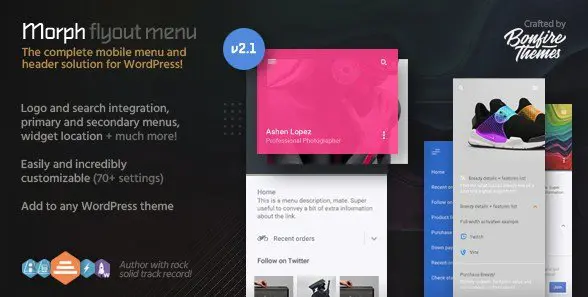
Morph is a WordPress plugin that adds a flyout menu to your site. Instead of a traditional dropdown, this type of menu slides out from the side, giving visitors a clear and focused way to reach your pages. It is built to respond to both touch and mouse input, so the menu behaves the same on a phone, tablet, or desktop computer. A particularly useful option lets you restrict the menu to specific screen resolutions. You keep your regular navigation for large displays, and Morph appears only when the viewport reaches the sizes you set. That makes the plugin a practical addition to responsive themes that need a dedicated mobile menu without altering the desktop layout. The flyout panel can be positioned on either edge of the screen, giving you control over how it relates to your site's design. This plugin is a Codecanyon release, and the core functionality remains exactly as the original developer intended.
The menu button that triggers the flyout is fully customizable. You can choose from several button styles and animation effects, so the icon that opens the panel fits naturally with your theme. Every included button design comes in regular and thin variations, allowing you to select a weight that matches your visual style. The button label itself is editable, which means you can display a word like "Menu" or go with an unlabeled icon depending on your preference. These options are controlled from the plugin settings, and the configuration process is straightforward; you don't need to write custom code to change the look or placement. By combining the positioning choice with these button settings, you can adapt the menu's appearance to a wide range of site designs. The available animations also add a subtle sense of motion when the panel opens, which helps visitors understand that they've triggered the navigation. That keeps the interaction feeling polished while still remaining lightweight.
Related products

 WooCommerce.com


Inside the flyout, navigation is handled through a primary menu that supports multiple levels. This means you can place sub-items under parent pages, and they will appear in an accordion style, expanding and collapsing as visitors tap or click them. Multi-level menu descriptions are also supported, letting you add a short line of text beneath each menu item to give extra context. If you want your brand to remain visible, the plugin allows you to display a logo inside the panel, either as an image or as plain text. That can be useful for keeping the site identity present even when the regular header disappears. The whole menu follows the structure you already set up in WordPress, so you are not forced to create a new navigation system; you just select the existing menu you want to use. The accordion behavior keeps long lists compact and helps the panel stay easy to scan, which is helpful on larger sites.
Setting up Morph requires only a few steps. Once you install the plugin, you choose which WordPress menu to use, decide whether the flyout appears on the left or right, and select the screen resolutions where it will be active. The remaining options cover button style, label, logo, and animation, and they are all organized in a simple settings screen. You do not need to edit template files or write any code. The plugin is delivered as the exact zip package from the original author, meaning you get the same file that is sold on Codecanyon. This ensures that the behavior, assets, and updates (if any) match the developer's own release. The settings are easy to revisit later, so you can adjust the menu as your site changes. Since the plugin relies on the standard WordPress menu system, you can manage your link structure from familiar admin pages rather than learning a separate interface.
- Last updated
- August 10, 2026
- Delivery
- Digital
- Availability
- In stock
- Version
- 3.7.2
- Category
- Wordpress Plugins
- Item type
- plugin
This listing covers Morph - Flyout Mobile Menu for WordPress, a Wordpress Plugins from plugin. Use the source description and recorded item details below to check whether it fits the intended project.
Usage rights depend on the license selected at checkout. Review the complete terms before using this item for client work, redistribution, SaaS, or more than one end product.