Multi-Thumbs for WordPress 1.2.6
Wordpress Plugins Codecanyon 4.8 (3.3K reviews)
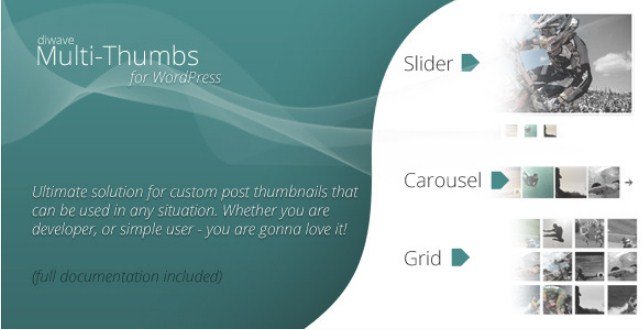
Multi-Thumbs for WordPress is a plugin that adds multiple thumbnail images to individual posts and pages on a WordPress site. Originally built for the Codecanyon marketplace, it expands beyond the standard single-featured-image setup, giving every piece of content room for a whole collection of pictures. At its heart, the concept is simple: instead of choosing one thumbnail, you attach as many images as you need, and the plugin organizes them into a neat display. That makes it useful for portfolios, product galleries, photo-heavy articles, or any content type where a single image does not tell the whole story. The plugin is distributed by Woocrack, and the download you receive is the exact same ZIP file that the original author releases, so there is no difference between what you get here and a direct purchase from the marketplace. Nothing has been modified, renamed, or rebuilt; it is the genuine plugin in its original packaging, ready to install through the WordPress admin panel.
Attaching images is not limited to standard posts and pages. Custom post types are supported as well, so content types created by a theme or another plugin can also benefit from multi-thumbnail support. There is no hard cap on the number of images per content item, giving site owners the freedom to upload as many pictures as a post requires. Everything happens from the familiar WordPress editor screen, so you do not need to learn a separate interface or open an external management tool. Each uploaded image is tied directly to the post or page where it belongs, and the plugin stores that association automatically. For sites that rely on custom post types, this extends standard WordPress behavior without code changes or template edits. That same shortcode works across every section of the site. Adding a collection of images to a post takes only a few moments, and the display appears exactly where you place it.
Displayed as a responsive slider, the gallery adapts to the width of the screen and works comfortably on phones, tablets, and desktop displays. A customizable template ships with the slider, and a range of options can be adjusted through a simple shortcode. Whoever builds the site controls how the slider looks and behaves without touching a single line of PHP or CSS. Place the shortcode directly inside a post, a page, or any other supported content area, and the slider renders right there. Because configuration lives in the shortcode, each slider on the same site can carry its own settings. One post might show a compact thumbnail strip, while another uses a larger viewer, depending on the parameters you pass. This approach suits site owners who want a flexible image display without adopting a heavy gallery plugin or learning a page-builder module. Everything needed to run the slider is included in the plugin package itself.
Getting started with the plugin is straightforward. Installation follows the same steps as any other WordPress plugin, and once activated, the configuration options are presented in a clear way. Easy configuration is central to the design, and that carries through the whole experience, from attaching images to generating the shortcode. With the shortcode system, everything stays consistent, so there is no separate settings page to hunt down for each slider. The download from Woocrack is a direct copy of the original file from the author, not a repackaged or modified version. You get exactly what the developer shipped, with no extra wrappers, installers, or automatic update hooks. That file is checked to be clean and free of viruses before it is offered for download. Anyone who has used the plugin before will find this version behaves identically to the official release. New users are learning the same tool they would get from any other source.

 Event On


- Last updated
- August 2, 2026
- Delivery
- Digital
- Availability
- In stock
- Version
- 1.1.1
- Category
- Wordpress Plugins
- Item type
- plugin
Multi-Thumbs for WordPress appears in the Wordpress Plugins catalog and is classified as a plugin. The page focuses on information available in the listing rather than unsupported performance or compatibility claims.
Usage rights depend on the license selected at checkout. Review the complete terms before using this item for client work, redistribution, SaaS, or more than one end product.