Navi: Fullscreen WordPress Menu 1.7
Wordpress Plugins Codecanyon 4.8 (3.3K reviews)
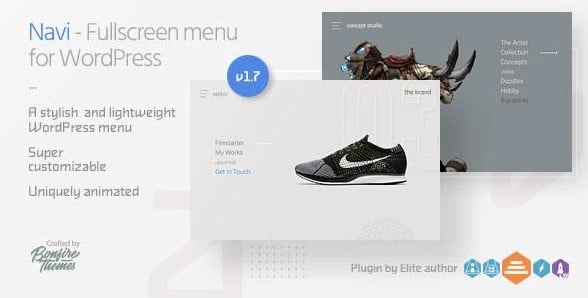
Navi is a WordPress plugin that replaces your standard navigation bar with a fullscreen overlay menu designed to give your site a distinctive look. When a visitor clicks the menu button, the screen fills with your site's links, presented in a clean, expanded layout. This plugin supports two levels of menu items, so you can include parent pages and their subpages. It comes from the Codecanyon marketplace, where it is distributed as a premium plugin. The whole point of Navi is to give your site a modern, immersive way to browse without building anything from scratch. You take your regular WordPress menu and let Navi present it in a dramatically different style. There is no need to touch code or edit theme templates. It works with the menu system you already have. For anyone who wants a straightforward two-level fullscreen menu, this plugin offers exactly that in a single package without extra clutter.
Navi gives you a high degree of control over the menu's appearance. You can customize every color you see, including the menu button, the overlay background, the menu items themselves, and the hover states. This means the menu can match your site's existing palette exactly. There are six different menu button designs included, so you are not locked into one style. Each of those button designs can have one of two animations applied to it, or you can disable animation entirely. The menu button also offers two positioning options: it can be either absolutely placed or fixed in place. You can tell it to sit on the left side of the screen or the right side. This set of options lets you tune the menu's behavior and look before you even open the overlay. These choices cover the important decisions you would normally face when setting up a fullscreen menu.
More from this category

 Codecanyon
The two-level structure in Navi means you can have top-level menu items that expand to reveal a second row of sub-items. This is useful for sites that organize content under sections like Services, About, and Products, each with their own subpages. When a visitor opens the fullscreen overlay, they see the primary links arranged clearly. The exact presentation of sub-items depends on the options you select. Since the plugin taps into the standard WordPress menu system, you build and manage your menu from the usual Dashboard screen. There is no separate setup wizard or custom content type to learn. You determine which items appear and in what order, then Navi handles the overlay display. This keeps the experience familiar for site administrators who already know how WordPress menus work. The plugin is meant to give visitors a grand, unobstructed view of your navigation while leaving the administrative side simple and intuitive.
Navi is a single-purpose plugin, and that focus is its strength. Instead of packing in page builders or extra widgets, it concentrates on the fullscreen menu experience. The plugin works with your existing WordPress setup, so installation follows the usual process of uploading the plugin file, activating it, and assigning it to a menu location. Once active, you configure the visual options from the plugin's settings area. Because the menu is built around standard WordPress menus, you can use it with themes that support custom menus. There is no need to redesign your site or move content around. For a site owner who wants the dramatic effect of a fullscreen menu without the complexity of a large navigation plugin, Navi gives you the controls to make it feel deliberate. The result is a clean overlay that presents your pages in a focused way, with the color and animation choices to fit the rest of your design.
- Last updated
- August 12, 2026
- Delivery
- Digital
- Availability
- In stock
- Version
- 1.4
- Category
- Wordpress Plugins
- Item type
- plugin
Navi: Fullscreen WordPress Menu appears in the Wordpress Plugins catalog and is classified as a plugin. The page focuses on information available in the listing rather than unsupported performance or compatibility claims.
Usage rights depend on the license selected at checkout. Review the complete terms before using this item for client work, redistribution, SaaS, or more than one end product.