Noo Timetable – Responsive Calendar & Auto Sync WordPress Plugin 2.2.0
Wordpress Plugins Codecanyon 4.8 (366 reviews)
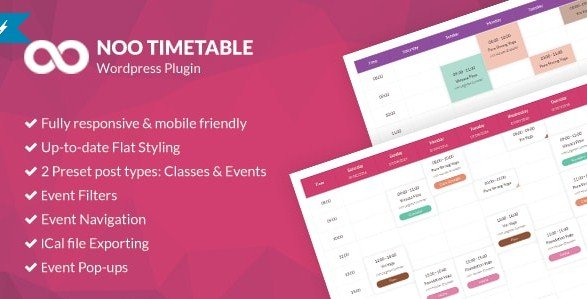
Noo Timetable is a WordPress plugin built for displaying schedules, class times, and event calendars directly on your website. Distributed through Codecanyon, it arrives as a standard .zip package that you upload and activate through the WordPress admin. At its core, this is a calendar and timetable solution. You define your events, sessions, or recurring activities, and the plugin renders them in a clear, organized layout for your visitors. The plugin is intended for organizations that publish regular programs: sports clubs posting training hours, educational institutions sharing class schedules, coworking spaces showing room availability, or event venues listing upcoming sessions. Instead of building a custom schedule from scratch or manually updating static tables, you get a structured system designed around the routine needs of any operation that runs on a timetable. Setup happens entirely inside WordPress, so the calendar sits naturally alongside the rest of your site.
Every part of the interface is fully responsive, so the timetable adapts to the screen it is being viewed on. Mobile phones, tablets, laptops, and desktop monitors all get a properly formatted display, with columns and rows adjusting rather than forcing users to pinch, zoom, or scroll sideways. This responsiveness is built into the plugin itself, not added as an afterthought, which matters for sites that receive a significant amount of traffic from handheld devices. Visitors checking today's schedule from a phone will see a layout that is readable and tappable, with sufficient spacing to avoid mis-taps. The calendar maintains its structure across viewport sizes, so a class schedule that works on a wide desktop screen does not collapse into a confusing mess on a small phone. A visitor on the move can glance at the schedule, find the relevant entry, and close the page without squinting or rotating the device. That kind of consistent behavior saves your audience time and reduces frustration when they just need to confirm a time or location.
Similar products

 WPMU DEV


The auto sync functionality keeps timetable data current without requiring constant manual intervention. When schedule information changes, the plugin handles the synchronization process so that the published version of your calendar reflects the latest updates. This is particularly valuable for organizations where times shift frequently, since outdated schedule information leads to missed appointments and frustrated visitors. You configure the details once through the WordPress backend, and the plugin manages the ongoing refresh work. Setup remains straightforward: the options are laid out in the WordPress admin, allowing you to create events, assign dates and times, and control how the calendar appears without writing any code. For site owners who are not developers, the low barrier to entry is a practical benefit. Developers appreciate that the plugin integrates with standard WordPress practices and can be customized further as needed. The combination of automated syncing and a clear configuration area means the day-to-day maintenance of a timetable becomes a minor task rather than a recurring chore.
The practical outcome is a website that presents schedules and bookings in a format visitors actually understand. Because the plugin lives inside WordPress, it works alongside your existing pages, posts, themes, and other plugins, showing the timetable exactly where you place it. The installation process is the familiar one for anyone who has added a plugin before, and the responsive output means you are not maintaining separate mobile and desktop versions of your schedule. Noo Timetable is a focused tool: it does calendar and schedule display well, and it avoids cluttering your admin area with unrelated features. For organizations that publish recurring programs, this plugin removes the repetitive task of updating static schedule pages and gives visitors a dependable, always-current reference. The result is a cleaner user experience and fewer questions about whether a listed time is still accurate. Running a schedule is stressful enough without adding website upkeep to the list, and this plugin is designed to take that burden off your plate.
- Last updated
- August 11, 2026
- Delivery
- Digital
- Availability
- In stock
- Version
- 3.0.6.4
- Category
- Wordpress Plugins
- Item type
- plugin
Noo Timetable – Responsive Calendar & Auto Sync WordPress Plugin belongs to the Wordpress Plugins section and is treated as a plugin. Its preview, description, and listing facts can be checked without adding claims not found in the source.
Usage rights depend on the license selected at checkout. Review the complete terms before using this item for client work, redistribution, SaaS, or more than one end product.