Pinterest To Wordpress Plugin 1.1.2
Wordpress Plugins Codecanyon 4.8 (3.1K reviews)
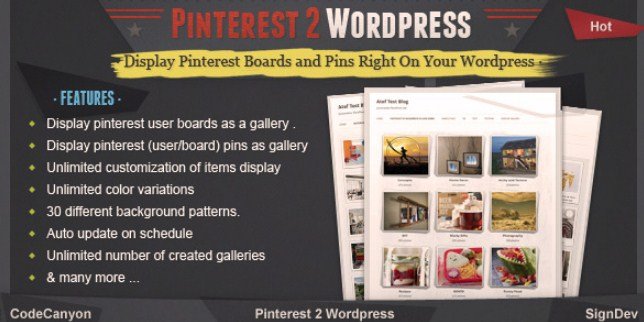
Managing social media feeds alongside a self-hosted blog takes significant time, especially if you share visual content across multiple platforms every single day. Connecting your external image portfolios directly to your blogging engine eliminates the tedious chore of manual re-uploading and image linking. This specific software tool bridges the gap between your external social profile and your content management system by fetching visual media automatically. Site administrators who rely heavily on curated mood boards or product mood boards often struggle to keep their web pages synchronized with their latest social posts. Manual updates lead to outdated galleries and broken visitor engagement loops on blogs that depend on fresh photography and design inspiration. Installing this add-on creates a direct pipeline for your published imagery to appear on your site pages without requiring coding knowledge or complex API setup procedures. Visual bloggers gain an efficient method to display their favorite boards directly to site visitors, keeping blog layouts active and visually appealing around the clock.
Similar products

 IconicWP


Functionality centers on pulling boards and individual pins straight into standard site galleries using straightforward configuration settings found inside the administration dashboard. Setting up the connection requires basic account authorization, allowing the system to communicate safely with the social network's media servers. Once linked, the software handles the background synchronization process so new posts appear on your pages automatically. Administrators retain full control over item dimensions, enabling custom sizing that matches existing blog themes and mobile responsiveness requirements. Gallery layouts adapt to your chosen design framework, ensuring that images look neat on desktop monitors, tablets, and smartphone screens alike. You do not need to worry about manually resizing every single image file because the plugin handles basic scaling rules based on the parameters you define during setup. Customization options let you adjust spacing and grid structures to fit specific page templates, giving you creative freedom over how visual content appears to your audience.
Content creators focusing on interior design, fashion, recipes, or photography find immense value in turning social boards into functional site galleries. Blog posts become more interactive when readers can browse curated collections of images without leaving your domain. Search engine visibility can also improve because image-heavy galleries add relevant visual context and alt text opportunities to your architecture. Visitors spend more time exploring your pages when greeted by organized grids of high-resolution photography rather than static text blocks. Displaying your curated content in multiple locations helps reinforce your brand identity across different online touchpoints. Building a cohesive visual ecosystem between your social media presence and your blog establishes stronger connections with readers who appreciate consistent curation. Maintenance becomes entirely hands-off once the initial parameters are saved, freeing up hours of administrative time that you can redirect toward writing new articles or planning future creative projects.
Technical implementation is straightforward for anyone familiar with standard content management system extensions and plugin management screens. The package arrives as a standard archive file ready for direct installation through your administration panel's upload feature. Configuration menus offer clear options for defining board IDs, adjusting display limits, and selecting preferred grid styles without overwhelming you with unnecessary technical jargon. Compatibility with standard themes ensures that page loading speeds remain stable even when displaying large galleries filled with high-resolution graphics. Regular background synchronization runs quietly behind the scenes, ensuring that new additions to your social profile eventually mirror themselves on your pages according to scheduled update intervals. Minimal resource consumption prevents server slowdowns, making this an efficient choice for blogs hosted on standard shared servers as well as dedicated virtual private servers. Anyone looking to bridge the gap between social curation and blog management will find this utility to be a straightforward, practical addition to their digital toolkit.
- Last updated
- August 3, 2026
- Delivery
- Digital
- Availability
- In stock
- Version
- 1.7.1
- Category
- Wordpress Plugins
- Item type
- plugin
Pinterest To Wordpress Plugin belongs to the Wordpress Plugins section and is treated as a plugin. Its preview, description, and listing facts can be checked without adding claims not found in the source.
Usage rights depend on the license selected at checkout. Review the complete terms before using this item for client work, redistribution, SaaS, or more than one end product.