Popping Content for WordPress 1.22
Wordpress Plugins Codecanyon 4.8 (3.1K reviews)
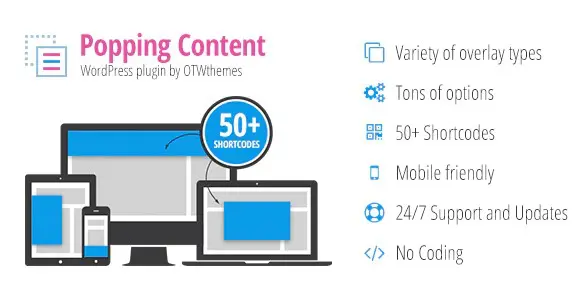
Popping Content for WordPress is a plugin designed to add attention-grabbing overlays and custom responsive layouts to any WordPress site. The idea is simple: instead of editing code or configuring complicated theme options, you work inside a straightforward visual interface where every action happens with a few clicks. You can decide what the overlay should say, how it should look, and where it should be positioned on the page. Layouts scale automatically, so they remain crisp and usable across desktops, tablets, and mobile phones. The plugin also keeps the whole process lightweight, meaning you do not need to install an extra page builder just to get these effects. For anyone who wants a quick way to show announcements, promotions, or important messages, this tool offers a practical solution. Getting it up and running takes only minutes after installation, and the plugin works as a standalone component rather than requiring you to change your existing workflow.
Overlays can be placed in a handful of distinct positions. You can choose a header overlay that sits across the top of the screen, a footer overlay that anchors to the bottom, or a left or right slide-in that appears from the side of the viewport. There is also a centered popup style for modal-style messages. Each position keeps the layout responsive, so the overlay stretches or centers itself appropriately based on the device. The choice of position depends entirely on the effect you are after; a simple announcement might fit comfortably along the top edge, while a special promotion could work better as a popup. Because the plugin gives you these options upfront, you do not have to write custom CSS or adjust pixel values. Just pick a position, set the content, and the overlay behaves the way you expect on every screen size. The positioning system handles the tricky parts for you, so each variation remains aligned and readable.
Creating the actual content inside an overlay is where the plugin really shines. You have access to more than fifty ready-to-use shortcodes, so you can add a wide range of elements without building anything from scratch. These shortcodes work directly inside the overlay editor, so each piece of content behaves exactly as it would on a regular page or post. The overlay editor also lets you arrange these elements in a custom responsive layout, so your design stays orderly regardless of how much content you include. Multiple activation periods can be set for each overlay, meaning you can schedule the same layout to appear during specific dates and times, or run several different messages at different points in a campaign. In addition, the plugin includes open and close events, so you can define what action triggers the overlay to appear and what action dismisses it. That flexibility allows for everything from timed popups to click-triggered callouts.
From a practical standpoint, the plugin fits easily into a standard WordPress setup. It installs like any other plugin, so you upload the zip file through the admin dashboard, activate it, and the overlay options appear in your site's admin menu. There is no need to modify your theme or set up any external service. This makes it a handy option for site owners who work with content editors on a regular basis but do not want to hand them a pile of custom code. The built-in tools cover the most common overlay scenarios, so you can run a temporary banner, a seasonal promotion, a newsletter signup popup, or a simple message that slides in from the side. Because the plugin handles responsiveness, timing, and positioning for you, the final result feels like part of the site rather than an add-on widget. It is a self-contained product that does one thing and does it well.
 Codecanyon

- Item type
- plugin
- Category
- Wordpress Plugins
- Version
- 1.0.2
- Availability
- In stock
- Delivery
- Digital
- Last updated
- August 2, 2026
For shoppers browsing Wordpress Plugins, Popping Content for WordPress is recorded as a plugin. The page below separates supplied product information from general store and license terms.
Usage rights depend on the license selected at checkout. Review the complete terms before using this item for client work, redistribution, SaaS, or more than one end product.