Popup Maker – Scheduling 1.1.1
Wordpress Plugins Popup Maker 4.8 (352 reviews)
Popup Maker – Scheduling is an add-on for the Popup Maker plugin that puts you in control of when your popups appear. You can set a start date and time, an end date and time, or both, so a limited-time offer shows up exactly when your sale begins and disappears the moment it ends. Beyond fixed windows, the extension lets you schedule popups for specific days of the week or repeat them on a custom interval, such as every other day. This works entirely inside the Popup Maker settings, so you keep your existing workflows and simply add timing rules. As a result, your message appears at the right moment for your campaign, not whenever a visitor happens to load a page. That kind of precision helps you run promotions, event reminders, or content announcements without having to manually toggle popups on and off. Date and time pickers are visual and straightforward, letting you define these rules in seconds.
Timezone support means schedules follow each visitor's local time, so a popup set for 10:00 AM appears at 10:00 AM in New York and at the equivalent moment in London. A one-time display option limits the popup to a single appearance per visitor while the schedule is active, and you can also stop multiple scheduled popups from showing at once. Timing rules work together with Popup Maker's existing targeting conditions, such as user role, device type, or pages visited, so you can narrow your audience by both time and behavior. Recurring schedules get extra flexibility: exclude specific dates from the pattern, like a holiday, or set custom intervals such as every three days instead of being stuck with daily or weekly defaults. Everything is controlled through the same interface you already use for Popup Maker, with visual date and time pickers handling the input. The scheduling settings appear right where you create or edit popups, so there's no separate menu to learn.
These capabilities apply directly to real-world scenarios. A flash sale with a fixed end date can launch and retire automatically, so you never have to worry about a popup lingering after the deal is gone. Event organizers can schedule announcements to appear in the days leading up to a webinar or conference, and have them vanish the day after. Seasonal campaigns, like a Black Friday message or a New Year greeting, can go live at a precise moment and turn off on their own. You can also use scheduling for routine content updates, letting a popup point visitors to a new blog post or product launch for a set number of days. Newsletter sign-up offers can run only during specific periods, such as weekdays or business hours, rather than at all hours. Even course or webinar registration pages can serve as scheduled reminders to drive sign-ups at the right time. Define the timing once and the extension handles the rest.
More from this category

 WPMU DEV
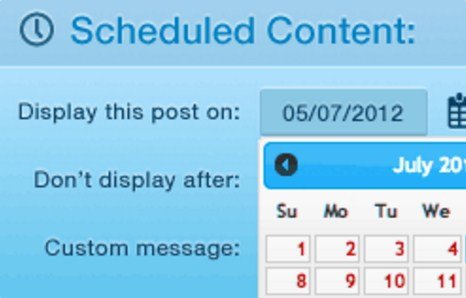

Popup Maker – Scheduling is built to work directly with the free Popup Maker plugin, and it requires that plugin to function. It's designed with site performance in mind, using lightweight code and efficient database queries so your scheduled popups don't slow down page loads. The interface is responsive, so the scheduling controls and the popups themselves display properly on mobile, tablet, and desktop screens. The extension respects your WordPress timezone settings, letting you align schedules with your site's local time rather than a server offset. Because it stays within the Popup Maker ecosystem, there's a consistent experience for anyone who already manages popups there, and the settings language is easy to follow. The styles and behaviors match what Popup Maker already delivers, so visitors won't see any difference except for the timing. This add-on adds timing control without complicating the rest of your setup. It suits store owners, event planners, content creators, and anyone who wants fewer missed opportunities.
- Item type
- plugin
- Category
- Wordpress Plugins
- Version
- 1.3.7
- Availability
- In stock
- Delivery
- Digital
- Last updated
- August 11, 2026
Popup Maker – Scheduling is listed in Wordpress Plugins as a plugin. The supplied description, preview, version, price, and recorded product details are collected here for review.
Usage rights depend on the license selected at checkout. Review the complete terms before using this item for client work, redistribution, SaaS, or more than one end product.