Pro Box Layout for Visual Composer 2.1
Wordpress Plugins Codecanyon 4.8 (959 reviews)
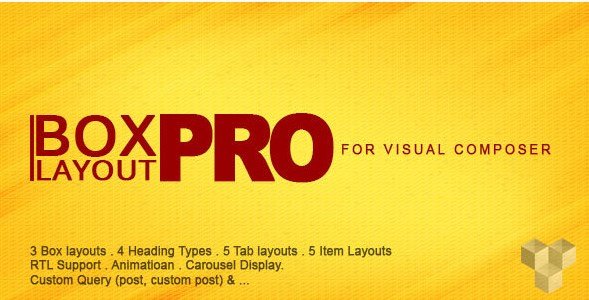
Pro Box Layout for Visual Composer is a WordPress plugin that shows your site's posts in a clean news and magazine style. It adds a new layout element to the Visual Composer page builder, so you can insert a boxed grid of content anywhere on your pages. The plugin pulls items from ordinary posts and from custom post types, which means you can feature articles, product reviews, events, or any other content structure your site uses. Instead of a simple list, you see a set of boxes that combine images, headlines, and text snippets in an organized presentation. Because it is distributed through Codecanyon, you receive a well-crafted commercial plugin that matches the standards of other WordPress addons. For a website that needs a professional content hub, this plugin offers an easy way to achieve that look. You do not need to build a custom theme or write complex code to get a magazine-style homepage.
The design follows a clean, modern approach that keeps the focus on your content. Every part of the layout is built on the latest version of Bootstrap, the widely adopted front-end framework. That means the boxes respond to screen size automatically. On a desktop, you might see a multi-column grid; on a mobile phone, the same content stacks vertically without losing readability. Images scale down properly, text remains legible, and spacing adapts to each viewport. This level of responsiveness is essential for a news or magazine site, where visitors often browse on the go. The boxed design gives each article a defined area, making it easy for readers to scan headlines and thumbnails quickly. The style is intentionally simple, so it works with a wide range of color schemes and brand aesthetics. Because the layout comes ready to use, you can activate it and see immediate results. No extra styling plugins are required to make the output look polished.
Other products to consider
 Mycred
Compatibility with the latest version of WordPress is built in, so the plugin stays reliable as your site updates. There is also full RTL support for right-to-left languages. This makes the plugin a solid choice for Arabic, Hebrew, or Persian websites. The settings screen is easy to use, even for someone who does not write code. After adding the Pro Box element in Visual Composer, you can select which post types appear, decide how many items to show, set the order of the content, and adjust a few display preferences. All of these options are presented in a straightforward interface. You will not need to look at a shortcode or edit template files. The plugin handles the heavy lifting behind the scenes, which is exactly what a busy site owner wants. RTL support also extends to the layout alignment, so text and boxes flip correctly. That attention to detail saves time during setup.
For websites that rely on regularly published content, this plugin provides a neat way to display it. A news portal can use it for the homepage layout and then reuse the same element on category pages. A blog can turn its archive into a visual grid that keeps readers exploring. The fact that it works with custom post types adds extra flexibility. If you have built a custom post type for movies, recipes, or staff profiles, those items can appear in the same boxed format. There is no need to maintain separate templates or create multiple layouts. The plugin is delivered as a standard WordPress zip file, so installation follows the normal process. Once active, the new element is available inside Visual Composer like any other content block. This simplicity is what makes the plugin practical for everyday use. You can place it on multiple pages without extra configuration. That flexibility helps keep the site consistent.
- Last updated
- August 9, 2026
- Delivery
- Digital
- Availability
- In stock
- Version
- 1.4.9
- Category
- Wordpress Plugins
- Item type
- plugin
Pro Box Layout for Visual Composer belongs to the Wordpress Plugins section and is treated as a plugin. Its preview, description, and listing facts can be checked without adding claims not found in the source.
Usage rights depend on the license selected at checkout. Review the complete terms before using this item for client work, redistribution, SaaS, or more than one end product.