Progress Loader — WordPress Site Preloader 1.0.2
Wordpress Plugins Codecanyon 4.8 (4.4K reviews)
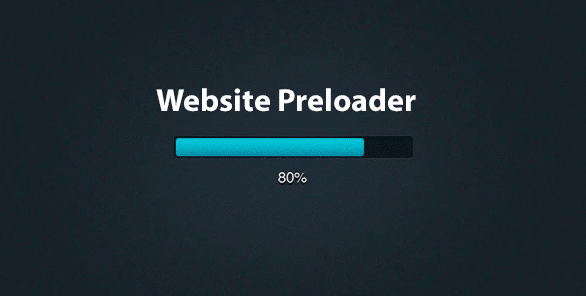
Progress Loader is a WordPress plugin that adds a progress bar to your site while its content finishes loading. When someone visits a page, especially one filled with large images, the browser needs a moment to pull all the files together. Instead of showing a blank screen during that wait, this plugin displays a smooth bar that fills up from left to right. Visitors can see that something is happening, which makes the short delay feel less frustrating. Once every image and script is ready, the loader disappears and the page appears in full. This creates a polished entry experience for any website. The plugin is a standard WordPress extension from Codecanyon, a popular marketplace for developer tools. Installation works the same way as any other plugin, meaning you upload the zip file through the WordPress admin panel and activate it. The design is clean and unobtrusive, so it blends into the overall look of your site.
The plugin works by monitoring the loading state of all the images on your page. As each file finishes downloading, the plugin updates the progress bar to reflect the percentage that has completed. Animation is fluid, and the bar moves in sync with the actual loading process. This gives visitors a realistic sense of how much longer they need to wait. The preloader stays visible only until the last element is fetched, then it transitions away smoothly. It does not interfere with the rest of your site, and it runs without adding heavy scripts. The underlying code is kept lean, so page performance stays just about the same as before. Because it works at the theme level, it can be added to any WordPress site without modifying your theme files. That means you can switch themes later and the preloader will still function. All the technical details are handled automatically, so you do not need to write any code.
Similar products

 WPGridBuilder
Setting up Progress Loader takes very little time. After you install and activate the plugin, you can adjust its settings right away. The controls are straightforward, with clear labels for each option. You can customize the visual style of the progress bar to match your site's colors and overall design. There are also options for the animation speed and the way the loader exits once the page has finished loading. You do not need to edit any template files or write custom CSS. Everything runs through the plugin's own interface, which is designed for people without technical skills. Changes are saved without any hassle, and you can preview the effect immediately. If you ever want to turn the preloader off, you can disable it without leaving any leftover code behind. The whole setup is designed to be quick. This makes it simple to experiment and see whether a preloader works well for your audience.
Progress Loader shapes the first few seconds of a visit. A page that appears gradually feels more stable and intentional than one that snaps into view. The progress bar gives visitors a signal that the site is working and that the wait will end. This is especially valuable for image-heavy pages, where loading times are naturally longer. Photography portfolios, online stores, and news articles with large photos all gain a more composed entrance. The plugin helps with the perception of speed. People are more patient when they can see progress, and a smooth transition makes a slow load feel shorter than it is. Because the plugin is lightweight, it does not ask for much in return. Once it is configured, it essentially runs on its own, quietly doing its job on every page. For anyone who wants to refine the feel of their WordPress site without a major redesign, this is a simple way to do it.
- Last updated
- August 9, 2026
- Delivery
- Digital
- Availability
- In stock
- Version
- 1.1.2
- Category
- Wordpress Plugins
- Item type
- plugin
This listing covers Progress Loader — WordPress Site Preloader, a Wordpress Plugins from plugin. Use the source description and recorded item details below to check whether it fits the intended project.
Usage rights depend on the license selected at checkout. Review the complete terms before using this item for client work, redistribution, SaaS, or more than one end product.