Responsive Styled Google Maps - WordPress Plugin 5.1
Wordpress Plugins Codecanyon 4.8 (4.4K reviews)
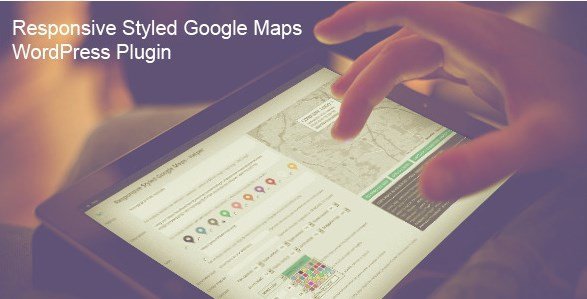
This WordPress plugin brings Google Maps into your site without requiring you to write a single line of code. You can create a map by providing a simple street address or by using exact latitude and longitude coordinates for more precise placement. Once the map is generated, it becomes fully responsive, meaning it scales naturally on phones, tablets, and desktop monitors. The plugin was designed to work in many parts of your WordPress setup, including sidebars, blog posts, static pages, and custom post types. That flexibility makes it useful for contact pages, store locators, event listings, or any other content where a visual map helps your audience understand exactly where something is. Instead of hunting for third-party embed codes or manually adjusting width and height attributes, you manage everything through the WordPress dashboard. You get a clean interface where you can set the map center, choose a zoom level, and decide how the map responds to user interaction.
Multiple markers are supported on a single map, so you can show several locations at once without creating separate maps. Each marker can carry its own popup window, and you have the option to include a custom link in that popup, which is handy for linking to individual listing pages, directions, or reservation forms. A built-in search box lets visitors filter or locate places on the map, and the clustering option groups nearby markers together when the map is zoomed out. This keeps things tidy when you have many pins in a dense area. The plugin also lets you toggle the display of points of interest, such as restaurants, transit stops, and landmarks, so you can reduce visual clutter or keep useful context depending on your goals. These features work together to give you a functional map that behaves like the ones people are already used to using online.
More from this category

 Codecanyon

Visual customization is a major part of this plugin. It comes with fifty included map styles, each offering a different color palette and overall look. You can pick a prebuilt style that matches your site's design or apply a hue color of your own for a simpler, unified tint. Ten marker icons are included in the default set, and you can also upload custom icons to replace them with your own branding, logos, or location-specific graphics. The ability to show or hide points of interest gives you additional control over what appears on the map. For example, a real estate site might want roads and neighborhoods but not every coffee shop, while a travel blog might want the opposite. Because all of this is done through the plugin's options rather than custom CSS or JavaScript, you can experiment with different looks and preview the results without touching any theme files.
Because the map is fully responsive, you do not need to worry about mobile visitors getting a broken or oversized embed. The plugin takes care of resizing the map container based on the visitor's screen, which is something that plain iframe embeds often get wrong. It also works inside sidebars, posts, pages, and custom post types, so you are not forced to put maps only where the theme happens to have a page builder or specific template. The combination of multiple markers, search, clustering, custom popup links, and style controls covers most mapping needs you might have for a WordPress site. A contact page with a single pin or a directory with dozens of locations both work well. There is no need to register for a separate map service or edit theme files just to get a decent looking, functional map. Everything is contained within the WordPress admin area, so you maintain full control over your maps and their settings.
- Last updated
- August 2, 2026
- Delivery
- Digital
- Availability
- In stock
- Version
- 12.2
- Category
- Wordpress Plugins
- Item type
- plugin
Listed under Wordpress Plugins, Responsive Styled Google Maps - WordPress Plugin is a plugin. This presentation keeps the product name and recorded facts intact while organizing the details for easier review.
Usage rights depend on the license selected at checkout. Review the complete terms before using this item for client work, redistribution, SaaS, or more than one end product.