Shipping Details Plugin for WooCommerce 1.8.0.7
Wordpress Plugins Codecanyon 4.8 (2.7K reviews)
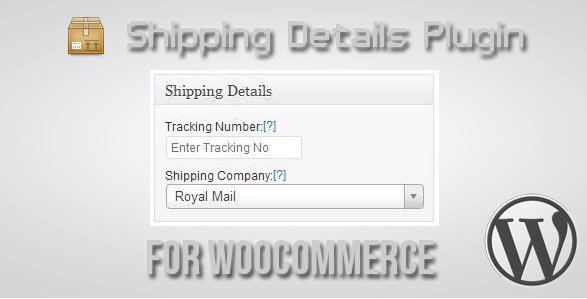
This plugin gives you a dedicated place to record shipping details for each WooCommerce order. When you enter a courier and a tracking number, customers can find that information right on their order screen and on their track order page. The same details are sent out in the email notification that goes out once tracking is added. So instead of asking support teams for shipping updates, buyers can open their order confirmation and follow the delivery from there. The plugin supports up to five tracking numbers per order, which is helpful when an order is split into multiple parcels. It also recognizes over 140 couriers, so common postal services and regional carriers are already listed in the dropdown. That saves time during order fulfilment because you rarely need to type out a custom carrier name. The entries are stored with the order record, so you can always review what was sent and when. The entire workflow stays inside your WooCommerce admin area.
The courier list matters because the plugin uses it to display a clear carrier label next to each tracking number. When you mark an order as shipped, you select the courier from the dropdown, enter the tracking reference, and save. The system then attaches those details to the relevant emails, including the email triggered after tracking is added. It also refreshes the tracking display on the order pages in the customer account. All of this happens within your existing WooCommerce admin screens, so there is no separate dashboard to learn. The plugin works with the standard WooCommerce order workflow, and no extra configuration is needed to get the basic functionality running. For merchants dealing with couriers from different countries, the breadth of supported carriers means the right option is usually already listed. That keeps data entry fast, consistent, and free from spelling errors that can occur when people type carrier names manually.
More from this category

 AdvancedAds


Because tracking information appears in several places at once, customers have fewer reasons to contact you for status updates. The confirmation email containing the courier name and tracking number is sent after you save the shipping details, not before. This way, a buyer checking their inbox for a dispatch notice already has what they need to trace the parcel. The email also lists the courier, so the customer knows which company to contact if there is a delay or a problem with delivery. The view order page inside the customer account area is updated too, giving shoppers a second location to check whenever they want. Storing up to five tracking numbers covers parcels sent in separate deliveries, and each number is tied to its own courier, so there is no confusion about which service is carrying which box. For shops that regularly split orders, that feature alone makes the plugin a practical addition to the checkout and fulfilment process.
The plugin is built specifically for WordPress sites running WooCommerce. In practice, that means it installs like any other WordPress plugin and appears in your admin menu. The developer distributes the plugin through Codecanyon, a common marketplace for commercial WordPress plugins. Setup involves entering the tracking details on the order screen, and the rest is handled automatically by the existing WooCommerce email and account systems. Once a tracking number is saved, the plugin adds the courier details to every email that follows for that order. This includes any new notification sent after the tracking number has been saved, not just the initial dispatch notice. It is a small utility built for one specific job: keeping customers informed about dispatch and delivery. The scope stays focused on tracking references, which keeps the plugin lightweight and easy to configure for stores that already have their own shipping process in place.
- Last updated
- May 10, 2026
- Delivery
- Digital
- Availability
- In stock
- Version
- 3.0.11
- Category
- Wordpress Plugins
- Item type
- plugin
Shipping Details Plugin for WooCommerce is listed in Wordpress Plugins as a plugin. The supplied description, preview, version, price, and recorded product details are collected here for review.
Usage rights depend on the license selected at checkout. Review the complete terms before using this item for client work, redistribution, SaaS, or more than one end product.