Social Share for Elementor WordPress Plugin 1.0
Wordpress Plugins Codecanyon 4.8 (1.6K reviews)
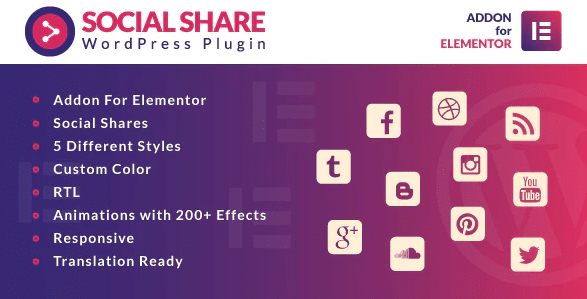
Social Share for Elementor is a WordPress plugin distributed through Codecanyon. It adds a dedicated widget to the Elementor page builder, letting you place social sharing buttons anywhere in your layout. The core idea is that you can add these buttons in one click, without touching code or juggling external plugins. You do not need to build custom shortcodes or edit template files. The widget sits right alongside your other Elementor tools and behaves exactly like a native Elementor module. This makes it a straightforward solution for site owners who already build their pages with Elementor and want to give visitors an easy way to share content. Because the widget lives inside the Elementor editor, you position it exactly where you want it, just like any other Elementor element. The configuration process is kept simple, and the plugin is designed to blend into your existing workflow. There is no separate settings screen to learn, and no shortcodes to remember.
What this plugin does is both simple and practical. It pulls the familiar share buttons into your Elementor environment, so you can attach them to blog posts, landing pages, portfolio items, or any other content type you manage through Elementor. You can configure the widget to suit your page, then save your layout and the buttons go live. You can also go back and adjust the placement whenever you change your layout, since the widget remains fully editable at any time. The integration is built for Elementor, which means it respects the styling and layout system you are already using. You don't need to worry about conflicting CSS or misaligned buttons. Everything is handled by the widget itself. For anyone who has ever spent time trying to get a separate share plugin to match their Elementor design, the appeal is clear. It reduces a common headache to a few clicks and lets you get back to creating content.
This plugin is best understood as a convenience layer. Many share button plugins require careful setup, API keys, or custom code to achieve decent results. This one skips all that. You find the Social Share widget in the Elementor panel, drag it into your page, and configure it with the options provided. That includes adjusting a few visual preferences to fit your design. The result is a clean, functional share block that works with your page. The plugin focuses on one job, so you do not need to assemble multiple tools to get the same result. This keeps the learning curve low and leaves you with less to manage. Because it is a single plugin focused on one task, it stays out of the way. There is no bloat, no dashboard clutter, and no need to maintain a separate settings area. If you already rely on Elementor for your site’s layout, this plugin fits naturally into that workflow.
Similar products
 Codecanyon


The plugin is available as a direct download from woocrack.com, and the file is the exact .zip package you would receive from the original author on Codecanyon. That means installation follows the standard WordPress process: upload the zip, activate the plugin, and the Social Share widget appears in Elementor. The download itself is a standard WordPress plugin zip, so your existing hosting setup will accept it without any special configuration. You will not need to modify your theme's functions file or set up API calls. For more detail, the official plugin website lists the full feature set and any additional configuration notes. This description covers the essentials, but the product itself is straightforward. If you want a fast, no-frills way to put social share buttons on your Elementor site, this plugin accomplishes that with minimal effort. There are no hidden requirements, no third-party accounts, and no ongoing configuration to maintain. It simply does what it says.
- Last updated
- August 12, 2026
- Delivery
- Digital
- Availability
- In stock
- Version
- 1.0.1
- Category
- Wordpress Plugins
- Item type
- template kit
The available listing for Social Share for Elementor WordPress Plugin places it among Wordpress Plugins products. It is presented here as a template kit with its supplied description and purchase information.
Usage rights depend on the license selected at checkout. Review the complete terms before using this item for client work, redistribution, SaaS, or more than one end product.