Stock Market Widgets for WordPress 1.0.9
Wordpress Plugins Codecanyon 4.8 (404 reviews)
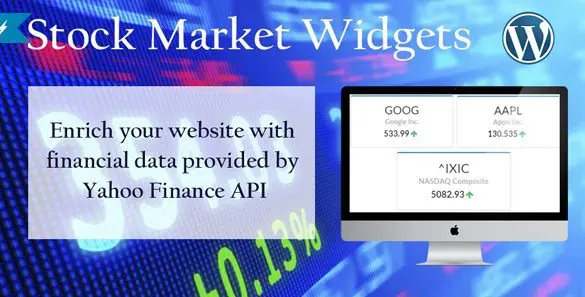
Stock Market Widgets for WordPress is a plugin that lets you embed financial market data into your site using nothing more than an HTML snippet. You don't need to write custom code or hire a developer to get stock quotes, index values, and commodity prices onto your pages. The plugin is sold through Codecanyon, a marketplace known for high-quality WordPress products, and it follows the same installation and update process as other plugins you already use. Once activated, you can place a widget in any post, page, or sidebar area simply by pasting the snippet your chosen market generates. That approach keeps the whole system flexible and straightforward, because the plugin takes care of the complicated data retrieval and rendering behind the scenes. The result is a self-contained widget that presents the selected market data without requiring you to update it manually. You can add as many widgets as you like, and each one displays the market you picked.
One of the biggest strengths of this plugin is the variety of markets it covers. You can pull data from major American exchanges like NASDAQ and the New York Stock Exchange, plus commodity and futures markets such as the Chicago Mercantile Exchange and NYMEX. International coverage is also included, with options for the Toronto Stock Exchange, the Canadian Venture Exchange, the Australian Securities Exchange, and the New Zealand Exchange. European traders get something to work with too, because the plugin supports Deutsche Börse, Xetra, and the regional exchanges in Berlin, Munich, and Düsseldorf. That list is not the limit either, because the official product page mentions additional data sources. With this kind of range, you can build a global market overview on a single site, mixing regional indices with international commodities without jumping between different plugins or tools. It is a practical way to give your audience a broad snapshot of market activity without building custom integrations.
Setting up these widgets is straightforward enough for someone who has never touched a financial API. You open the plugin settings, find the market you want to display, and copy the HTML snippet that gets generated. From there, you paste it into the WordPress block editor, a classic editor widget area, or a theme that accepts custom HTML. Because the snippet does all the work, you don't have to manage any shortcodes or remember complex parameter names. If you want to show a stock ticker on the homepage and a detailed portfolio on a separate page, you can do that with two different snippets. The plugin also makes it easy to remove a widget by deleting the snippet, so there’s no lingering code to clean up. This simplicity makes it a good fit for financial websites that need reliable data without constant tweaking. You can combine multiple widgets to create a customized market section with just a bit of copy and paste.
Since this is a standard WordPress plugin, you install it like any other. Download the zip file from Codecanyon, upload it through the WordPress admin dashboard, and activate it from the plugins page. After activation, you don’t need to configure dozens of settings before seeing results. The plugin works with your existing theme, so you don’t have to adjust your site’s layout or styling. Because the widget relies on simple HTML, you can place it almost anywhere, including footers and landing pages. You stay in control of where the data shows up and how it fits with your existing content. The official documentation and product page on Codecanyon list the full range of supported markets, so you can check which exchanges and instruments are available before you place any widgets. For someone who wants financial data on a WordPress site, this plugin keeps the process simple and avoids the need for a custom development project.

 IconicWP


- Last updated
- August 3, 2026
- Delivery
- Digital
- Availability
- In stock
- Version
- 1.7.1
- Category
- Wordpress Plugins
- Item type
- plugin
Stock Market Widgets for WordPress belongs to the Wordpress Plugins section and is treated as a plugin. Its preview, description, and listing facts can be checked without adding claims not found in the source.
Usage rights depend on the license selected at checkout. Review the complete terms before using this item for client work, redistribution, SaaS, or more than one end product.