StudioPress Minimum Pro Theme 3.2.1
Wordpress Themes StudioPress 4.8 (4.1K reviews)
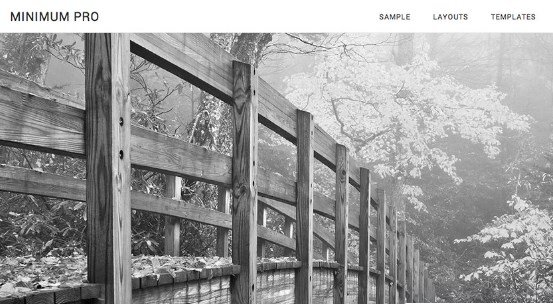
Minimum Pro is a WordPress theme created by StudioPress built on the Genesis Framework. This template focuses on simplicity and white space to let your content stand out visually. Bloggers, writers, and portfolio owners often pick this layout because it keeps things clean and distraction-free for visitors reading articles or viewing images. Setting up the layout requires installing the Genesis Framework first, which acts as the underlying engine for the design elements. Typography choices prioritize readability across desktop computers, tablets, and smartphones alike. Visual hierarchy remains clear through well-spaced heading tags, clean blockquotes, and tidy metadata displays. Colors default to a neutral palette that highlights photographs and written words without visual clutter. Pages load quickly because the underlying code avoids unnecessary bloat often found in heavily decorated themes. Organizing your main ideas becomes straightforward thanks to the uncluttered layout structure. Anyone building a personal blog, professional portfolio, or simple business site will find the baseline aesthetic provides a professional look right out of the box.
Customization options inside the WordPress Customizer let you adjust various visual elements without editing raw code. You can upload custom header images and modify site identity details directly through the standard dashboard interface. Several widget areas on the homepage give you flexibility in arranging content blocks such as recent posts, newsletter signups, or author biographies. Modifying these widget sections allows you to construct a tailored front page that greets your audience effectively. The layout adapts automatically to different screen sizes so mobile users experience the same polished presentation as desktop visitors. Navigation menus scale down into compact toggle buttons on smaller viewports to preserve valuable screen space. Images scale dynamically within containers to prevent horizontal scrolling on mobile phones and small tablets. Responsive design practices ensure that your site looks properly proportioned regardless of how readers access your pages.
More from this category

 StudioPress
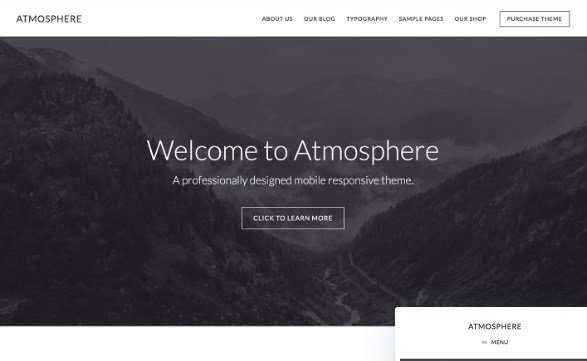

ECommerce functionality integrates smoothly with popular plugins like WooCommerce to help you sell physical or digital goods directly from your site. Product grids, checkout pages, and cart icons inherit the clean styling of the theme for a consistent visual presentation. Setting up an online shop takes minimal effort once the core e-commerce plugin is installed and activated alongside the theme files. Shoppers can browse your catalog, add items to their cart, and complete purchases through standard checkout flows. The minimalist approach ensures that product photography remains the focal point of store pages rather than distracting background elements. Category pages and individual product listings maintain the same spacious aesthetic found throughout the rest of the template. Standard WooCommerce shortcodes and widgets work as expected within the supported widget areas. Running a small digital shop or physical storefront alongside a traditional blog is entirely possible with this setup.
Managing your site content remains straightforward over the long term due to the clean separation between design framework and active theme files. Updates to the Genesis Framework apply independently from the child theme styling, which helps maintain your visual customizations during software refreshes. Standard WordPress post formats are fully supported, allowing you to publish standard articles, image galleries, video embeds, and audio clips with distinct styling cues. Search engine optimization foundations are baked into the framework architecture to help search engines crawl and index your pages efficiently. Code standards adhere to modern WordPress guidelines to ensure compatibility with standard plugins and caching tools. Developers can easily hook into existing functions to add custom code snippets or child theme modifications if specific project requirements demand deeper changes. Long-term maintenance requires standard upkeep like updating plugins, monitoring security, and backing up databases just like any standard WordPress installation running on a self-hosted server environment.
- Last updated
- August 11, 2026
- Delivery
- Digital
- Availability
- In stock
- Version
- 1.2.4
- Category
- Wordpress Themes
- Item type
- theme
The available listing for StudioPress Minimum Pro Theme places it among Wordpress Themes products. It is presented here as a theme with its supplied description and purchase information.
Usage rights depend on the license selected at checkout. Review the complete terms before using this item for client work, redistribution, SaaS, or more than one end product.