Superfly - Responsive WordPress Menu Plugin 5.0.33
Wordpress Plugins Codecanyon 4.8 (4.2K reviews)
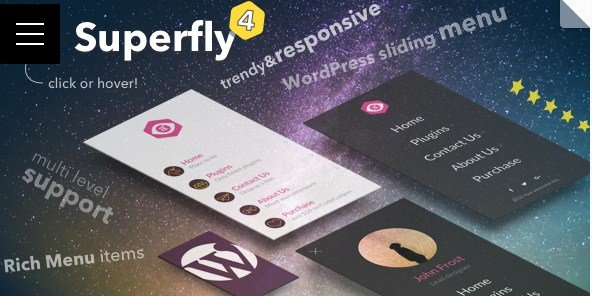
Superfly is a WordPress menu plugin built for sites that need navigation which works properly on any device. The plugin replaces a standard menu with a sliding or push-style panel that visitors can open with a click, a tap, or a hover. This approach keeps the main content visible while placing links, icons, and widgets inside a dedicated overlay. Desktop visitors get a quick way to jump between pages, and mobile users do not have to wrestle with tiny dropdown lists. The plugin is distributed by Codecanyon as a compressed .zip archive that matches the original package from the author, so installation follows the normal WordPress plugin upload path. After activation, the menu appears where the theme's menu location is registered, and the plugin takes over the navigation behavior without requiring a new theme. The plugin's core idea is simple: navigation should feel clear and friendly no matter what size screen the visitor is using.
The menu offers several display modes, so a site does not have to look identical on every screen size. Some modes produce a side panel that slides over the page, others push the page content to the side, and a full-screen option covers everything for a more immersive feel. Each mode reacts to the current viewport, which means the same menu can appear as a compact icon button on a phone and as a larger, more detailed panel on a desktop monitor. The responsive behavior is built into the plugin rather than left to theme CSS, so switching between layouts does not require custom breakpoint code. Site owners can also decide which device types see which mode, which helps when a desktop navigation should remain a traditional horizontal bar while mobile gets the sliding panel, or when a tablet should use the same compact trigger as a phone.
More from this category
 Codecanyon


Displaying control is handled through a set of options that determine when the menu appears and which pages it covers. A site can show the menu everywhere, limit it to specific post types, or hide it on certain templates. Content areas accept more than plain links; the panel can hold a search box, recent posts, custom widgets, and text blocks, turning the menu into a small utility area rather than just a list of pages. Trigger settings define how visitors open the menu. A floating button can sit in a corner, the menu can open by hovering over a hotspot, or a keyboard shortcut can toggle the panel for users who prefer that. These triggers are independent from the menu structure, so changing the opening behavior does not force a site owner to redo the links. Each trigger can be tuned for position, timing, and behavior, making the panel adapt to the site's existing design.
The configuration process is meant to be approachable. Options are grouped into clear sections inside the plugin settings screen, and changes apply immediately so an owner can test different modes without guessing. Most common setups require choosing a display mode, picking a trigger, and then assigning the existing WordPress menu, which keeps the learning curve low for someone managing a regular content site. A site owner who avoids coding will find that the options are labeled in plain terms, and the preview gives immediate feedback. The delivered package is the exact .zip file sold through Codecanyon, so buyers get the same files they would receive from the original author with no extra wrappers or modified code. The product is a straightforward plugin purchase, not a subscription, and the files can be used across multiple projects as long as the license permits. For a site that needs navigation to feel natural on every device, Superfly provides the behavior and the controls in one package.
- Last updated
- August 10, 2026
- Delivery
- Digital
- Availability
- In stock
- Version
- 4.9.5
- Category
- Wordpress Plugins
- Item type
- plugin
Superfly - Responsive WordPress Menu Plugin appears in the Wordpress Plugins catalog and is classified as a plugin. The page focuses on information available in the listing rather than unsupported performance or compatibility claims.
Usage rights depend on the license selected at checkout. Review the complete terms before using this item for client work, redistribution, SaaS, or more than one end product.