SupportCandy Email Piping 3.3.5
Wordpress Plugins SupportCandy 4.8 (2.4K reviews)
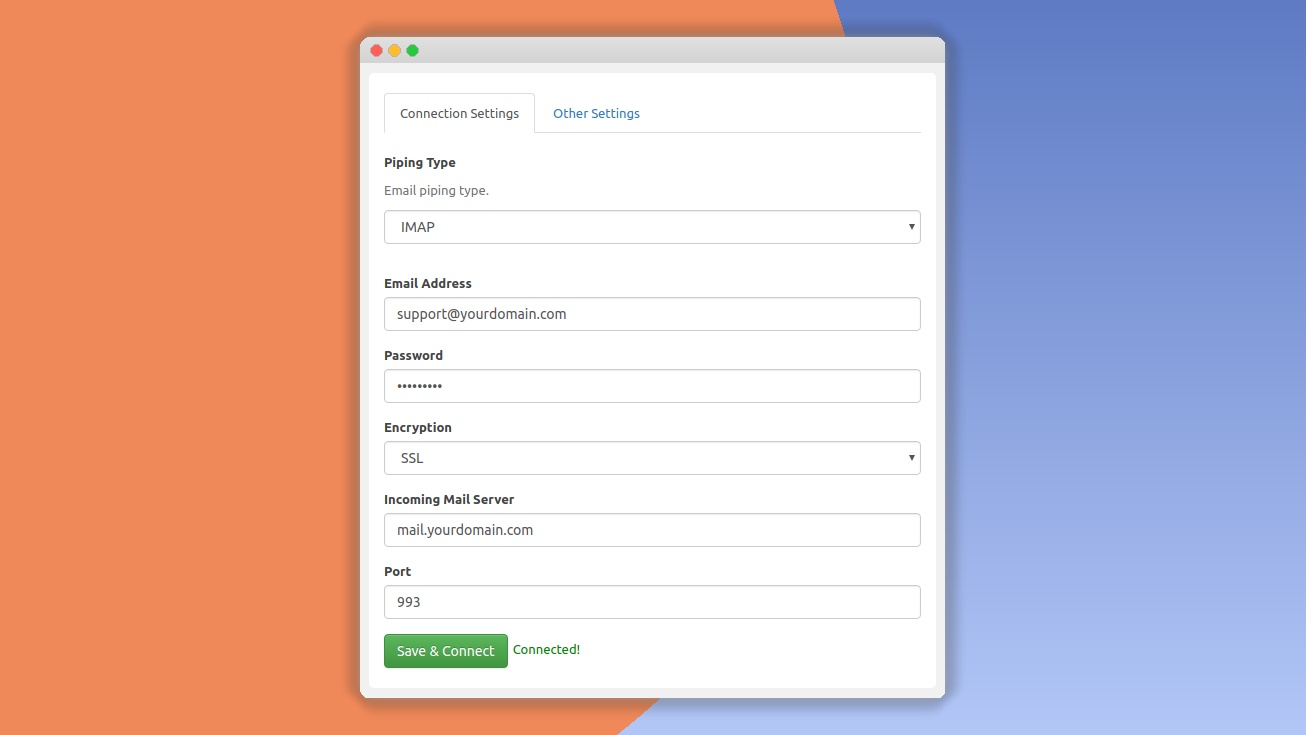
SupportCandy Email Piping is a WordPress add-on that works alongside the SupportCandy helpdesk plugin to turn incoming emails into fully formed support tickets. Instead of manually copying messages from an inbox and pasting them into your helpdesk, this plugin connects to any email address you designate for support and monitors it using IMAP or POP3 protocols. When a new message arrives, the plugin fetches the content and automatically creates a new ticket inside SupportCandy, populating it with the sender's name and email address, the subject line, and the full message body. This happens without any human intervention, so each customer inquiry is captured instantly and never gets lost in a crowded inbox or left sitting in a queue waiting for someone to notice it. Because the entire process is automated, your support team can stop doing repetitive data entry and instead spend that time responding to customers, resolving issues, and maintaining a manageable workload.
Similar products

 Download Monitor


Setting up the plugin takes only a few minutes through your WordPress dashboard. After installing and activating it, you go to SupportCandy > Settings > Email Piping, enter your email server's IMAP or POP3 details along with the mailbox credentials, and save the configuration. A built-in connection test verifies that everything works before you go live, so you can confirm that the plugin can reach the mailbox. Once connected, the plugin checks for new emails at regular intervals using WP-Cron, which means tickets appear in SupportCandy without any delay. The settings interface is responsive and easy to use on any device, and no coding is required to manage the configuration. For security, the plugin supports SSL/TLS connections to email servers and stores your credentials using WordPress's secure options API, so passwords are not kept in plain text. It also respects existing spam filtering so that unwanted messages do not generate tickets.
Because this is an add-on, you need SupportCandy installed and activated on your WordPress site, and the plugin is compatible with both free and premium versions of SupportCandy. Minimum requirements include WordPress 4.9 and PHP 7.0, with IMAP, POP3, IMAP-SSL, or POP3-SSL available on your hosting account. Real-world email conditions are handled carefully: non-standard email headers get parsed correctly, complex HTML formatting stays intact, and large attachments do not cause timeouts. Timezone differences and temporary network interruptions are also accommodated, keeping ticket timestamps accurate and allowing email fetching to resume automatically once the connection is restored. The plugin stores email account credentials using WordPress's secure options API, so sensitive information stays protected. Regular updates from the developers improve connection handling, add better debugging information, and expand protocol support. These updates also refine the parsing of email content, ensuring that subjects with special characters or messages with varied formatting still create accurate tickets. As a result, the plugin remains reliable as email standards and hosting environments evolve without demanding unusual server configurations from you.
The main benefit of SupportCandy Email Piping is that it closes the gap between a customer pressing send and a support agent seeing a new ticket. Every valid message becomes an actionable item in your helpdesk, complete with the customer's details and message content. This saves time, reduces the chance of human error, and ensures that inquiries sent to different addresses, such as sales@ or orders@, are captured consistently. Agents can prioritize tickets promptly, assign them to the right people, and track the entire conversation in one place. Growing businesses that receive a high volume of email daily will find the automation especially valuable, as it provides a dependable method for managing the load without overburdening the team. While the plugin does not replace SupportCandy itself, it adds a necessary layer of automation that keeps a support workflow organized, responsive, and easy to maintain.
- Item type
- plugin
- Category
- Wordpress Plugins
- Version
- 4.1.1
- Availability
- In stock
- Delivery
- Digital
- Last updated
- August 11, 2026
SupportCandy Email Piping is cataloged as a Wordpress Plugins under plugin. Review the preview and recorded details alongside the original description before purchase.
Usage rights depend on the license selected at checkout. Review the complete terms before using this item for client work, redistribution, SaaS, or more than one end product.