SupportCandy Timer 3.2.0
Wordpress Plugins SupportCandy 4.8 (2.0K reviews)
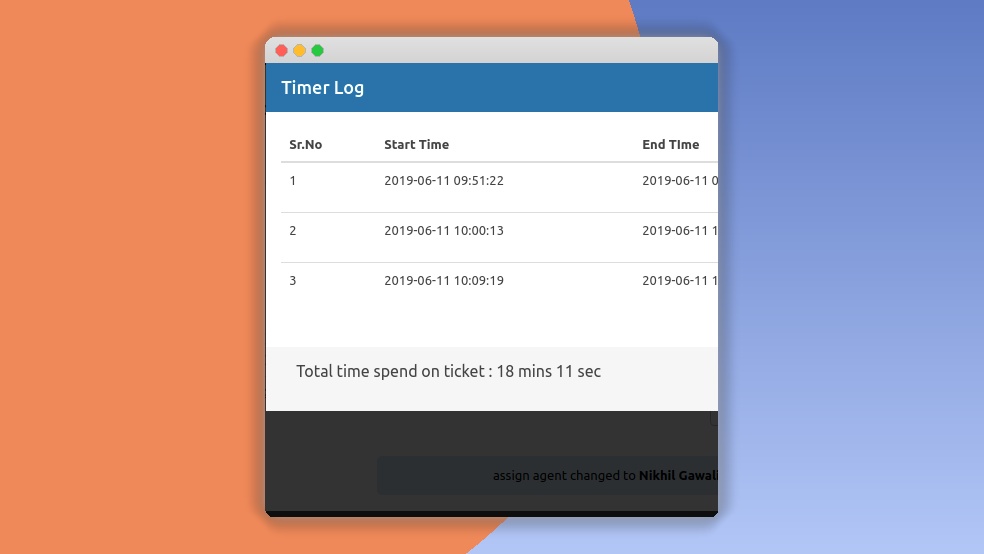
SupportCandy Timer is a WordPress add-on that extends the popular SupportCandy helpdesk plugin with precise time tracking on support tickets. It only works when the core SupportCandy plugin is installed and active, since it plugs directly into that existing ticket system. Once enabled, each ticket gains a timer that agents can start, stop, and pause as they work. Time entries are recorded automatically, but you can also add or edit entries manually if someone forgets to start a timer or needs to adjust an entry. The plugin keeps a complete history of every logged period, making it easy to see exactly how many hours go into each individual support request. The timer controls sit right inside the ticket view, so agents don’t have to switch windows or keep a separate clock running. This simple tracking layer gives teams a clear picture of where their time actually goes, without requiring any separate spreadsheets or external tools.
Related products

 AMPforWP


Beyond timers, SupportCandy Timer generates detailed reports that show where those logged hours accumulate. You can view time spent per ticket, per agent, or across the whole team, and filter the results by date range. Reports are useful for spotting tickets that have consumed far more time than expected, or agents who are carrying uneven workloads. These reports give managers a reliable view of team efficiency without guesswork. The plugin also integrates SLA tracking into the same interface, so you can measure response and resolution times against your service level agreements. Visual status indicators on each ticket show whether a timer is active, paused, or completed. For client work, the billable hours feature makes it straightforward to pull together accurate totals for invoicing, and a CSV export option lets you take those numbers into your billing system. There is even a notes field on each time entry, so you can record what was done during that period.
SupportCandy Timer is designed to fit naturally into a support team's daily routine. Administrators can restrict timer features to specific user roles through the plugin's permission settings, so not every agent has to see every control. A 'Pause All Timers' button helps people juggling multiple tickets at once. The plugin also shows the total time logged on a ticket right in the ticket list, so it's visible at a glance before opening the full view. Timer behavior is customizable, from default settings to display options, allowing each team to shape the tool to their workflow. On the technical side, the plugin works with WordPress 5.0 and above, and it recommends PHP 7.0 or higher. All time logs live in your WordPress database, which means you keep control of the data. The interface uses a responsive design, so you can quickly check timers and reports on a desktop, tablet, or phone.
Because it builds directly on SupportCandy, this add-on fits any setup that already uses that plugin, whether for a small business, a support agency, an e-commerce store, or a SaaS helpdesk. Setting it up doesn't require coding: download the plugin file, upload it from the WordPress admin, activate it, and then adjust the add-on settings in the SupportCandy menu. It is a practical tool for anyone who needs to know how much support work actually costs. Managers can see which tickets demand the most attention, freelancers and agencies can use the log data to create accurate client invoices, and teams with subscription plans can check whether they are meeting their response agreements. SupportCandy Timer doesn't invent new processes; it simply adds an important layer of measurement to a helpdesk that already exists. That clarity helps teams answer basic questions about their workload and communicate about time in a factual way.
- Last updated
- August 3, 2026
- Delivery
- Digital
- Availability
- In stock
- Version
- 1.1.8
- Category
- Wordpress Plugins
- Item type
- plugin
SupportCandy Timer is cataloged as a Wordpress Plugins under plugin. Review the preview and recorded details alongside the original description before purchase.
Usage rights depend on the license selected at checkout. Review the complete terms before using this item for client work, redistribution, SaaS, or more than one end product.