Team Builder - Meet The Team WordPress Plugin 1.5.7
Wordpress Plugins Codecanyon 4.8 (3.7K reviews)
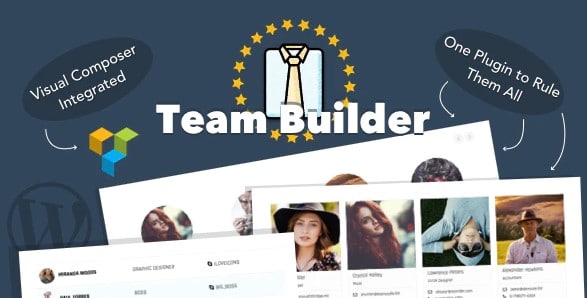
Team Builder is a WordPress plugin created for putting together a team showcase page without writing any code. You manage everything from the admin dashboard, where a visual drag-and-drop builder lets you arrange member cards in real time. That means you can add a new person, reorder the group, or change a profile photo and see the result immediately. If you work with Visual Composer, the plugin slots directly into that page builder, allowing you to insert team blocks alongside your existing content. The whole process stays familiar and quick, whether you manage a small business site, a nonprofit roster, or a large corporate directory. A live preview accompanies the drag-and-drop builder, so you always see exactly what your visitors will see. The learning curve is minimal, and the entire setup can be completed in a single sitting. Your time is better spent on the content than on the markup.
Related products

 Codecanyon


A handful of layout formats are included, so you are not stuck with a single way to display your people. Members can be presented as a grid, a slider, a table, or inside widgets, and each of these layouts can handle a full team roster or a short list of department heads. The same set of profiles can appear in different arrangements across multiple pages, which keeps the site flexible when sections like 'Meet the Team' and 'Our Board' need to stay distinct. Design customization is just as open. Colors, font choices, spacing, and the order of elements inside each card can all be adjusted to match a brand or a specific page design. Nothing forces you to accept default styling, and the controls are straightforward enough for someone who has never opened a stylesheet. The responsive behavior is built into the front end, meaning columns and sliders shift automatically to fit phones, tablets, and desktop screens without any extra work.
Member details appear in sliding panels that open from each card. Five built-in themes come with the panels, so you can pick the visual style that fits your site without touching any code. Editing the content inside a panel is done through the WordPress native visual editor or the HTML editor, depending on your preference. A simple paragraph is fine, but you can also produce a fully formatted page with headings, links, and embedded videos if you want. For even greater control, the HTML editor lets you add your own markup for members with specialized needs. Combining a polished panel design with familiar editing tools, this setup makes it easy to produce rich profiles quickly. You are not limited to name, job title, and photo fields; the open editor becomes the space for contact details, social links, or a short career history. Each theme maintains its own motion and spacing, so the presentation feels intentional no matter which one you choose.
The plugin also includes skill bars and star bars, which let you display each member's abilities in a visual way. Skill bars work well for proficiency levels, while star bars are handy for ratings or rankings. Both are easy to configure and render directly on the member’s card or inside the sliding panel. For larger teams, the filtering option becomes very useful. Members can be grouped by department or by any custom tag, and visitors will be able to narrow the list instantly. Filtering relies on standard WordPress taxonomy terms, so setting it up feels natural. As a product originally distributed through Codecanyon, Team Builder arrives as a standard installable zip file. You upload it through the WordPress dashboard like any other plugin, activate it, and begin building the showcase. There are no external services or subscription layers, just a self-contained plugin that works with standard WordPress features.
- Item type
- plugin
- Category
- Wordpress Plugins
- Version
- 1.0.2
- Availability
- In stock
- Delivery
- Digital
- Last updated
- August 2, 2026
Team Builder - Meet The Team WordPress Plugin is cataloged as a Wordpress Plugins under plugin. Review the preview and recorded details alongside the original description before purchase.
Usage rights depend on the license selected at checkout. Review the complete terms before using this item for client work, redistribution, SaaS, or more than one end product.