Templatica - Visual Composer Templates Manager 1.3
Wordpress Plugins Codecanyon 4.8 (3.7K reviews)
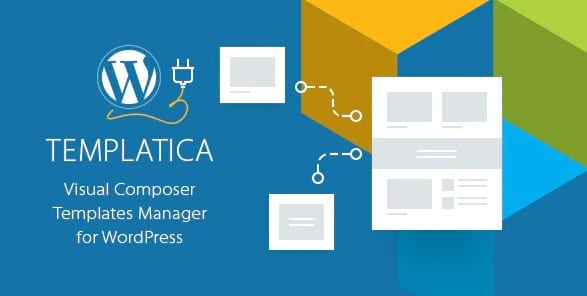
Templatica is a WordPress plugin that works with Visual Composer to manage reusable content across your site. The core problem it solves is straightforward: when you use the same visual element, code block, or template section on different pages and posts, you are normally forced to manually copy it everywhere. That leads to wasted time and inconsistent edits. Templatica gives you a central library where these pieces live. You create a block once, save it, and then drop it into any page, post, or custom post type from a simple list. If you later update that saved item, the change is pushed to everywhere it has been used. You do not have to open each page individually. This makes the plugin a natural fit for large sites that rely on Visual Composer. It behaves as a content management layer for the builder, so your workflow stays in the editor you already know. For developers and site managers, it brings order to content-heavy projects.
Templatica is built on native WordPress functionality, which means it does not try to reinvent content management from scratch. Instead, it extends the familiar post and page editing workflow with a dedicated repository for reusable parts. Because it integrates directly with Visual Composer, the content you save is compatible with the editor you already use. There is no separate interface to learn for building layouts, and the templates you store remain fully editable using Visual Composer's native tools. You can organize your saved blocks into categories or groups, which keeps the library manageable even as it grows. This modular structure makes it easier to scale a website without losing track of what you have created. Because everything is stored as native WordPress content, you get the stability and performance you expect from the platform. Updates to a stored template are applied wherever that template is used, so you never have to edit individual pages one by one.
Similar products
 Codecanyon


Templatica handles template migration in a way that saves a lot of hassle. If you move a site from a local server to a live one, the templates you created can be exported and then imported into the new installation. That also works when you need to move a layout between different projects or share a common set of components with your team. The templates are stored in a structured format, so the export process keeps all Visual Composer settings and any associated code intact. Because Templatica can manage code blocks as well as visual elements, you can reuse small snippets or whole sections without rebuilding them. This is helpful for keeping multiple sites consistent. The modular structure of the plugin also means your template library can grow to a large size without becoming a mess. You still have a clear way to organize and find what you need, even as the library expands.
Templatica is a practical tool for anyone who works with Visual Composer on a regular basis. Instead of treating each page as an isolated walled garden, it gives you a shared space where the building blocks of your site live. This means less repetitive work when you create new pages, and far less maintenance when you need to change a common element later. The plugin installs like any other WordPress plugin and works within the existing post editor, so you are not forced into a separate system for managing your content. The whole workflow stays within WordPress, so there is very little to learn before you become productive. The code is modular, which keeps the plugin light and flexible even when your site grows. For developers who manage multiple projects, the migration feature is particularly valuable. Being able to export a set of templates and import them elsewhere removes the need to start from zero on every new site.
- Item type
- plugin
- Category
- Wordpress Plugins
- Version
- 2.4.9
- Availability
- In stock
- Delivery
- Digital
- Last updated
- August 2, 2026
This listing covers Templatica - Visual Composer Templates Manager, a Wordpress Plugins from plugin. Use the source description and recorded item details below to check whether it fits the intended project.
Usage rights depend on the license selected at checkout. Review the complete terms before using this item for client work, redistribution, SaaS, or more than one end product.