Themify Builder Content Restriction Addon 3.5.7
Wordpress Plugins Themify 4.8 (287 reviews)
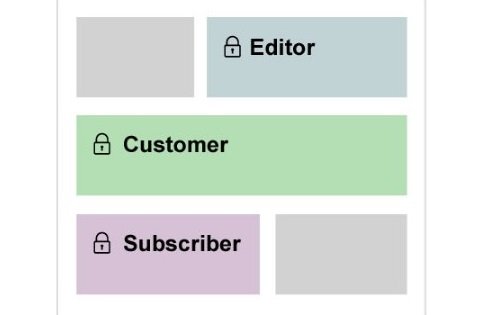
Building targeted websites often requires hiding specific information from certain visitors while keeping it visible to others. The Themify Builder Content Restriction Addon provides a straightforward way to control exactly who sees individual rows and modules on your WordPress site. Instead of creating separate pages for members, guests, or specific user tiers, you can manage everything directly inside the standard page layout builder interface. Adding this extension to your setup grants you granular control over page sections based on standard WordPress user roles. Administrators, editors, subscribers, and custom user roles can be targeted individually or in groups. Managing these visibility rules happens right alongside your normal design workflow, keeping your editorial process centralized and organized. Setting up permission boundaries takes just a few clicks within the settings panel of any specific row or module you want to restrict. Permissions apply instantly upon saving your layout changes, ensuring your access rules remain active and accurate for visitors browsing your pages.
More from this category

 Events Calendar


Every website owner has unique reasons for hiding certain blocks of text, images, or forms from the general public. Premium content creators might want to display special announcements exclusively to active subscribers who log into their accounts regularly. Online instructors can share specific training modules only with students enrolled in particular courses on the same site. Community forums and membership hubs benefit greatly from hiding promotional banners or navigation elements from logged-in members who already hold accounts. Membership site administrators frequently need tools that hide specific calls to action from returning users while showing those same elements to fresh visitors. Implementing these rules requires no custom coding, PHP snippets, or complex conditional statements added to theme templates. Everything operates entirely through visual interface controls designed to match the familiar Themify layout builder experience. Site administrators simply check the permitted user roles from a clean checklist interface associated with the chosen content block.
Working within the standard builder environment means you do not have to learn a completely separate system to manage site permissions. Each module and row carries its own set of visibility parameters inside the options overlay. Editing an existing page layout allows you to apply restrictions retroactively without rebuilding your foundational design structure. Visitors who lack the necessary user role simply do not see the restricted elements rendered on the frontend of the page. Layouts adjust automatically to fill the empty space left by hidden elements, maintaining a clean visual presentation for every visitor category. Bloggers, agencies, and freelance developers building client sites will find this extension fits naturally into routine page construction tasks. Editorial workflows remain smooth because permissions are tied directly to the structural building blocks of your pages rather than hidden away in external database menus. Clear visual indicators inside the builder backend help you identify which rows and modules currently carry active visibility restrictions.
Testing your permission rules is straightforward when you use standard WordPress user accounts to view the frontend layout directly. Switching between an administrator account and a test subscriber account lets you confirm that content displays correctly for each audience segment. The extension relies completely on core WordPress user management functions, meaning any roles created by other plugins will also appear in your restriction lists. Compatibility with standard caching plugins ensures that restricted content states are handled properly during page delivery to site visitors. Building structured, role-specific layouts becomes an efficient part of your daily web management routine with this targeted addon installed. Clean code execution keeps your pages loading quickly while enforcing your privacy and membership rules behind the scenes. Anyone managing a WordPress site with multiple user tiers will appreciate how directly this tool solves common visibility challenges without adding unnecessary bloat to the core system.
- Item type
- plugin
- Category
- Wordpress Plugins
- Version
- 4.7.2
- Availability
- In stock
- Delivery
- Digital
- Last updated
- August 11, 2026
The catalog entry for Themify Builder Content Restriction Addon is grouped with Wordpress Plugins and classified as a plugin. Available product information is shown below with related items from the local catalog.
Usage rights depend on the license selected at checkout. Review the complete terms before using this item for client work, redistribution, SaaS, or more than one end product.