Travelium - Trip Asia Landing Page Latest Version
Others Themeforest 4.8 (4.3K reviews)
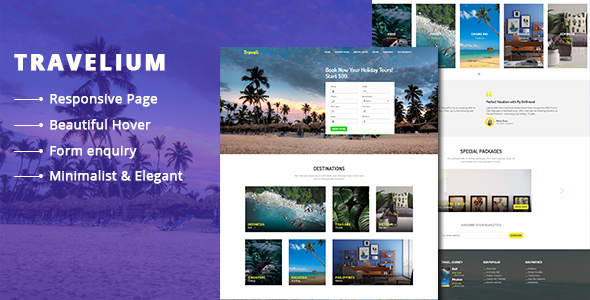
Travelium – Trip Asia Landing Page are contains a section by section preview destinations. This template also has a good HTML structure. If you see the code, it neatly arranged. So your eyes can see arranged class and arranged commented tag, then you can easy find the tag and edit it.
To change/edit the image banner for example, find class banner ( class=”banner” ) in index.html, open the css file, then find .banner (read: banner class) then change the background property. Or you can overwrite it, by adding attribute style=”background:url(yourpath/imgname.jpg)” inside of div banner. So the code will looks like below
<div class=”banner” id=”home” style=”background:url(yourpath/imgname.jpg);”></div>
This template includes:
- 1 html file ( one page )
- 5 css file
- 7 js file
- 1 php file
- fonts file
Also, booking form already set to send an email to notify when a user submitted but you need to edit the destination email that you want to send an email notification. You can do this by open and edit the php contact script ( postcontact.php ) then change email destination ( to: [email protected] ). Notes, all images on the preview are not included in the downloaded file.
Other products to consider

 Themeforest

- Item type
- digital product
- Category
- Others
- Version
- Latest Version
- Availability
- In stock
- Delivery
- Digital
- Last updated
- September 26, 2026
The catalog entry for Travelium - Trip Asia Landing Page is grouped with Others and classified as a digital product. Available product information is shown below with related items from the local catalog.
Usage rights depend on the license selected at checkout. Review the complete terms before using this item for client work, redistribution, SaaS, or more than one end product.