TwentyOne - Responsive Email + Online Template Builder Latest Version
HTML Templates Themeforest 4.8 (3.9K reviews)
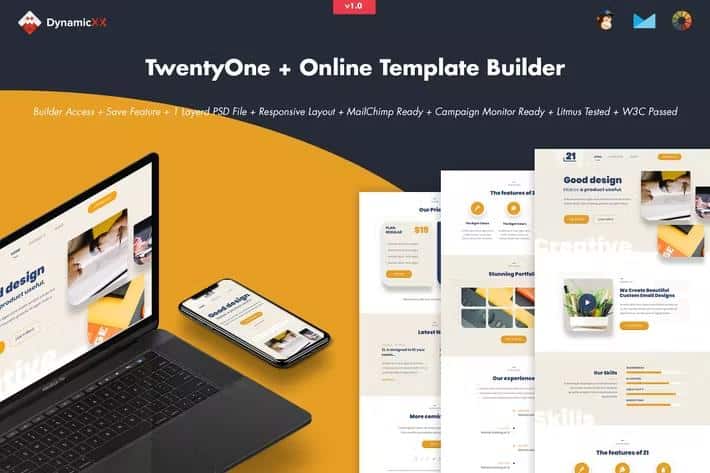
TwentyOne is a browser-based builder for creating responsive email templates and online layouts. You start with a blank canvas, then drag modules into place. Each module can be duplicated or hidden, which makes it easy to experiment with different arrangements. A drag handle on every module makes repositioning quick, and the layout updates as you move elements. Text is edited directly on the page, and colour changes apply instantly. An undo/redo system lets you step backward through adjustments. Preview mode shows you the finished result before you commit. All of this happens inside a single online workspace, so you don’t jump between separate tools. The interface is built around visual control rather than code. That means you can move elements, tweak styling, and check responsiveness without touching an HTML file. For people who need to produce email marketing templates quickly, it removes most of the repetitive manual work. It gives you a solid starting point for any campaign.
The builder includes flexible upload options. You can bring in content by saving your work, or upload an existing file to continue editing. Background images can be uploaded directly from your desktop or pulled from a URL. Links can be attached to buttons, text, or images as needed. When you’re satisfied with the design, you export the file to your desktop. The export produces HTML files that work with major email platforms. Constant Contact, iContact, and Aweber all accept the exported files. MailChimp and Campaign Monitor are compatible too. That means you can move the same template between services instead of building it again in each one. Saving stores your project in the builder, so you can stop in the middle and come back another day. There’s no need to restart from zero if you want to adjust a previous design. Your work stays intact and ready to export when you return.
More from this category

 Themeforest
Compatibility is a central part of this product. The templates are fully responsive and use a full-width design approach. They have been tested in many email clients, including Apple Mail, Android, AOL, Outlook.com, Yahoo Mail, Thunderbird, Microsoft Outlook 2003/2007/2010, Outlook Express, Windows Mail, Lotus Notes 8/8.5, OperaMail, iPad, and iPhone models 4, 5, 6, and 6+. That range covers desktop programs, webmail interfaces, and mobile devices. There are some known limitations. The Gmail app for Android is not supported. Outlook does not accept background images, so it replaces them with a solid background colour. Custom fonts also don’t work in Outlook, which will switch them to a standard web font. These are inherent limitations of email clients, not defects in the builder. They simply reflect how each email program renders HTML. Still, you can plan around these quirks. Knowing them in advance helps you design email templates that degrade gracefully.
All generated HTML files pass W3C validation, and the templates are Litmus-tested, which means they’ve been checked across popular rendering environments. Because the templates are responsive, you don’t need separate versions for mobile and desktop. The export package gives you HTML that can be dropped straight into your mailing tool. One thing to know: the images used in the live previews on the demo site are not included in the download package. They’re placeholders, so you’ll need to swap in your own images. The builder itself gives you full control over the final look—module layout, colours, text, and links are all adjustable. For anyone producing regular email campaigns, this is a practical way to build a reusable set of templates that can be adapted per promotion. The module system also makes updates straightforward, since each block can be edited on its own. You can start fresh, reuse a previous save, and export exactly what you need.
- Last updated
- August 2, 2026
- Delivery
- Digital
- Availability
- In stock
- Version
- Latest Version
- Category
- HTML Templates
- Item type
- template
Listed under HTML Templates, TwentyOne - Responsive Email + Online Template Builder is a template. This presentation keeps the product name and recorded facts intact while organizing the details for easier review.
Usage rights depend on the license selected at checkout. Review the complete terms before using this item for client work, redistribution, SaaS, or more than one end product.