Twitter Plus Wordpress Plugin 2.63
Wordpress Plugins Codecanyon 4.8 (170 reviews)
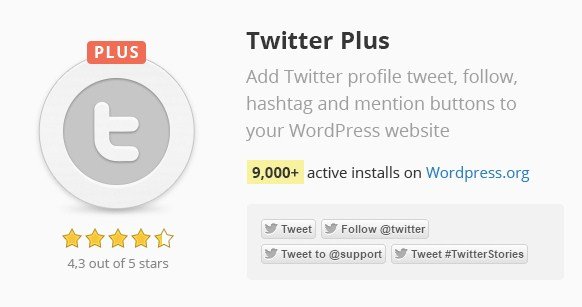
Twitter Plus is a WordPress plugin built to connect your website content with Twitter's social actions. It adds four interactive button types—Follow, Tweet, Hashtag, and Mention—directly to your posts and pages. These buttons let visitors follow your Twitter account, share your content with a single click, participate in hashtag conversations, and mention your handle without leaving your site. Originally distributed through Codecanyon, the plugin is managed entirely from the WordPress dashboard, so you never need to edit theme files or handle custom code. Setup takes place through familiar settings screens, which keeps the process approachable even for site owners who do not consider themselves technical. The whole idea is to close the gap between your written content and your social presence, making it easy for readers to engage with you on Twitter the moment they finish an article. The plugin arrives as a single installable package, and the files match the official Codecanyon release exactly.
A central feature is automatic button insertion. You can enable Twitter buttons on your posts or pages and let the plugin handle where they appear, saving you from pasting code into every single article. Different post types can display buttons independently, so you could show Tweet buttons on standard posts while keeping pages or custom content types free of social clutter. The placement of those buttons inside the content is adjustable—before the text, after the text, or positioned to suit your layout. These options live in the plugin settings, and everything is controlled through checkboxes and dropdowns from the WordPress admin, so adjusting behavior never requires editing theme files or calling in a developer. For anyone running a content-heavy site, this removes most of the repetitive labor around social sharing. The automatic setup means every new post you publish gets the same treatment, keeping your social buttons uniform across the entire site. You avoid the copy-paste errors that come with hand-inserting code.
Beyond automatic insertion, the plugin includes a shortcode-based approach for placing buttons exactly where you want them. Using a shortcode inside the WordPress editor, you can embed a button at a specific point in your content, giving you granular control that automatic placement cannot offer. This is useful for posts where you only want Twitter actions at the end of a section or in a dedicated callout area. The plugin also supports the opt-out of Twitter tailoring, a privacy-related setting that lets visitors avoid personalized content based on their browsing history. Site owners who are concerned about tracking can enable this option to have Twitter respect a user's preference. The combination of automatic insertion, shortcodes, and position options covers both hands-off and hands-on workflow styles, so you are not locked into one method. For occasional publishers, the shortcode route may be enough, while active sites can rely on the automatic system.
More from this category

 SearchWP


This version of Twitter Plus is distributed through Woocrack.com, which repackages the plugin as the exact zip file that the original author releases on Codecanyon. You are not getting a modified, cracked, or edited build; the archive matches what you would purchase from the official marketplace. Because the files are identical to the original release, installation follows the normal WordPress flow: upload the zip, activate the plugin, and configure it from the settings menu. The distribution is checked for viruses, and the product remains fully functional as intended by the developer. The publisher points buyers toward the official website for additional information about the plugin. What you download is exactly what the developer ships, nothing added and nothing removed. This makes it a practical option for testing the plugin on a staging site or for fitting social sharing into a project on a tight budget. It is simply the official product, delivered through a different storefront.
- Last updated
- May 10, 2026
- Delivery
- Digital
- Availability
- In stock
- Version
- 1.2.0
- Category
- Wordpress Plugins
- Item type
- plugin
Twitter Plus Wordpress Plugin is cataloged as a Wordpress Plugins under plugin. Review the preview and recorded details alongside the original description before purchase.
Usage rights depend on the license selected at checkout. Review the complete terms before using this item for client work, redistribution, SaaS, or more than one end product.